

If you're reselling LEGO on eBay, inventory management is the difference between a side hustle that eats your weekends and a store that actually scales. The short answer: you need a repeatable system for sorting, cataloging, pricing, and tracking every piece, set, and minifigure before it ever becomes a listing, not after you've already photographed it twice and forgotten what you paid for it.
I've sold over $100,000 worth of LEGO on eBay, and almost every seller I talk to hits the same wall. They get good at sourcing bulk lots but never build the inventory backbone that lets them list fast, price with confidence, and know which items are actually worth their shelf space. In my experience, the sellers who stall out aren't bad at finding LEGO, they're bad at tracking it. This guide walks through the system I actually use, from sorting a messy bulk lot to tracking sell-through rate once items go live.
Key takeaways before we get into it:
- Sort and catalog everything before you list, not while you're mid-listing
- Separate minifigures from sets and loose parts immediately since they follow different resale paths
- Track cost basis per lot or per item so you actually know your margin
- Build a simple photography and listing template to cut setup time per item
- Review sell-through rate monthly and rotate slow inventory to other platforms
What Does LEGO Inventory Management on eBay Actually Involve?
LEGO inventory management on eBay means tracking every item from the moment you acquire it to the moment it ships, including what it is, what it cost you, where it's physically stored, and its current listing status. It covers sorting, cataloging, pricing research, photography, listing creation, and sell-through tracking as one connected workflow instead of a pile of separate chores.
Most new resellers skip straight to listing because that feels like progress. I understand the instinct, but it backfires fast. When I started selling LEGO seriously, I tried to list items the same day I bought a lot, and I ended up re-opening totes, re-weighing boxes, and guessing at my own costs. Once I built a sorting and tracking step before listing, my per-item listing time dropped and my pricing got more consistent, because I wasn't making decisions from memory anymore.
How Do You Sort a Bulk LEGO Lot Before Listing on eBay?
Sort a bulk LEGO lot by category first: minifigures, sealed sets, loose built sets, and loose parts. Within each category, separate by condition and completeness before you touch eBay at all, because sorting order determines how fast you can price and list everything that follows.
Minifigures get pulled out first in my process, since they're usually the highest value per ounce and the easiest to misidentify if you rush. When I sort a bulk lot, I run anything I'm unsure about through a minifigure database like our own LEGO minifigure database to confirm what I'm actually holding before it goes into a labeled tote. A minifigure that looks generic can be worth a few dollars or well over a hundred depending on printing and accessories, and guessing wrong either undersells a good figure or wastes time pricing a common one like it's rare.
Sealed sets and loose built sets get separated next, since sealed sets generally hold value better and need different storage to avoid box damage. Loose parts go into bins by general type rather than exact part number at this stage, you can get more granular later if you're planning to sell on BrickLink as well.
How Do I Build an Inventory System That Actually Scales?
A LEGO inventory system that scales needs three columns at minimum: what the item is, what it cost you, and where it is right now in your workflow. Everything else, like listing links or sale price, gets added as the item moves, but those three fields have to exist from day one or you'll lose track of margin entirely.
I use a simple spreadsheet, not specialized software, and it's worked fine past a few thousand items. The part people overcomplicate is cost basis. If you buy a bulk lot for a flat price, I recommend assigning cost per item based on a rough value split rather than dividing evenly, since a lot with ten common figures and one rare one isn't worth splitting ten ways. Before I commit to a bulk lot purchase, I'll run the numbers through something like our haul calculator to get a realistic read on what the whole lot is worth before I ever touch a spreadsheet.
Here's a simplified version of the workflow stages I track for every lot that comes in:
| Stage | Task | Where It Happens |
|---|---|---|
| Intake | Weigh or count the lot, assign a lot ID | Spreadsheet or inventory tool |
| Sort | Split by minifigures, sets, parts, condition | Physical totes, labeled |
| Identify | Confirm figure names, set numbers, completeness | Minifigure database, set checklists |
| Price | Check recently sold comps, not just active listings | BrickLink, eBay sold filter |
| List | Photograph, write title, set item specifics | eBay listing tool |
| Track | Log sell-through rate, restock or liquidate slow items | Spreadsheet, monthly review |
What's the Best Way to Photograph LEGO for eBay Listings?
Photograph LEGO with even, natural light against a plain background, and take at least one close up shot that shows condition clearly, including printing wear on minifigures or sticker placement on sets. Buyers in this niche look closely, so a blurry hero shot costs you sales even if your price is fair.
I shoot minifigures standing upright against a neutral backdrop with a macro-style close up of the face and torso printing, since that's where buyers check for fading or scuffs. For sets, I photograph the full build from multiple angles plus any included extras like manuals or boxes, since those add resale value and buyers want to know exactly what's included before they bid or buy.
How Should You Price LEGO Items Once They're Sorted?
Price LEGO items based on recently sold listings, not active ones, since active listings reflect what sellers hope to get rather than what buyers actually paid. Pull three to five recent sold comps in similar condition and completeness, then price toward the middle unless you need a fast sale.
In my experience, BrickLink functions as the pricing backbone for the whole secondhand LEGO market, almost like the Wall Street of LEGO, because it has the deepest historical sold data for individual pieces and minifigures. I'll check BrickLink sold history even when I'm listing on eBay, just to sanity check that my price makes sense relative to the broader market. A lot of sellers I know also keep an eye on BrickEconomy for set-level appreciation trends before deciding whether to sell a sealed set now or hold it.
Heads up: This is not financial or legal advice. We're sharing what we've learned from the LEGO reselling community.
If you want a quick gut check on whether a set or lot is worth holding versus flipping, our LEGO investment calculator can give you a reasonable starting estimate, though I'd still cross reference sold comps before making a real decision either way.
Listing Optimization: What Titles and Item Specifics Actually Help?
LEGO eBay listings sell faster when the title includes the set number or minifigure name, the theme, and condition, while item specifics are filled out completely rather than left on defaults. eBay's search and category matching relies heavily on item specifics, and an incomplete listing gets buried against sellers who filled every field.
I write titles front loaded with the most searched terms first, set number or figure name, then theme, then condition, because buyers scanning search results read left to right and decide fast. For item specifics, I fill in character, theme, year if known, and completeness status every time, even when it feels repetitive across dozens of listings, because that repetition is exactly what makes a store easy for eBay's search to categorize correctly.
Should You Use eBay Promoted Listings for LEGO?
Promoted listings can help LEGO items get seen in a crowded category, but they come at a real cost. When you layer promoted listing fees on top of eBay's standard fees, your total take rate on a sale can climb close to 25 percent, which eats into margin fast on lower priced items.
I use promoted listings selectively, mostly on higher value minifigures and sets where visibility actually changes the outcome, rather than across my whole store. From what I've seen, if you price a common item 30 to 50 percent below recent sold comps, it tends to sell within 24 to 48 hours without needing a promotion boost at all, because eBay buyers love a visible deal. Save the promoted budget for items that are priced fairly but need more eyes.
How Do You Know When to Rotate Slow Inventory Off eBay?
Rotate inventory off eBay when an item sits unsold for 60 to 90 days despite competitive pricing and a complete listing, since that's usually a sign the demand lives elsewhere rather than a pricing problem you can just discount away. Track sell-through rate monthly so you catch this early instead of letting dead stock pile up.
When I notice a category stalling on eBay, I'll move it to a platform with a different buyer base rather than keep discounting. Whatnot works well for themes with strong live audiences, Facebook Marketplace is useful for bulky or local-only lots where shipping doesn't make sense, and Mercari can pick up casual buyers eBay's search doesn't surface. I noticed Harry Potter sets in particular move slower for me on eBay than Star Wars or Ninjago, so those are exactly the kind of items I'll test on a different channel before assuming the price is wrong.
Common LEGO Inventory Mistakes I See Resellers Make
The most common LEGO inventory mistakes are listing before sorting, skipping cost basis tracking, and ignoring incomplete sets instead of fixing them. All three mistakes compound over time, turning a manageable store into a backlog that takes a full weekend to untangle.
- Listing straight from a bulk lot without separating minifigures, sets, and parts first
- Never recording what you actually paid per item, only per lot
- Throwing away or ignoring incomplete sets instead of sourcing missing pieces to finish them
- Pricing off active listings instead of sold comps
- Letting slow inventory sit on one platform for months instead of rotating it
- Skipping item specifics on listings to save five minutes per item
I learned the incomplete sets lesson the hard way. Early on I'd set aside sets missing a few pieces and basically let them rot in a closet. Once I started treating them as fixable inventory and sourcing the missing parts through BrickLink, those sets went from dead weight to some of my better margin items, since I was buying parts for cents and completing a set worth real money once whole again.
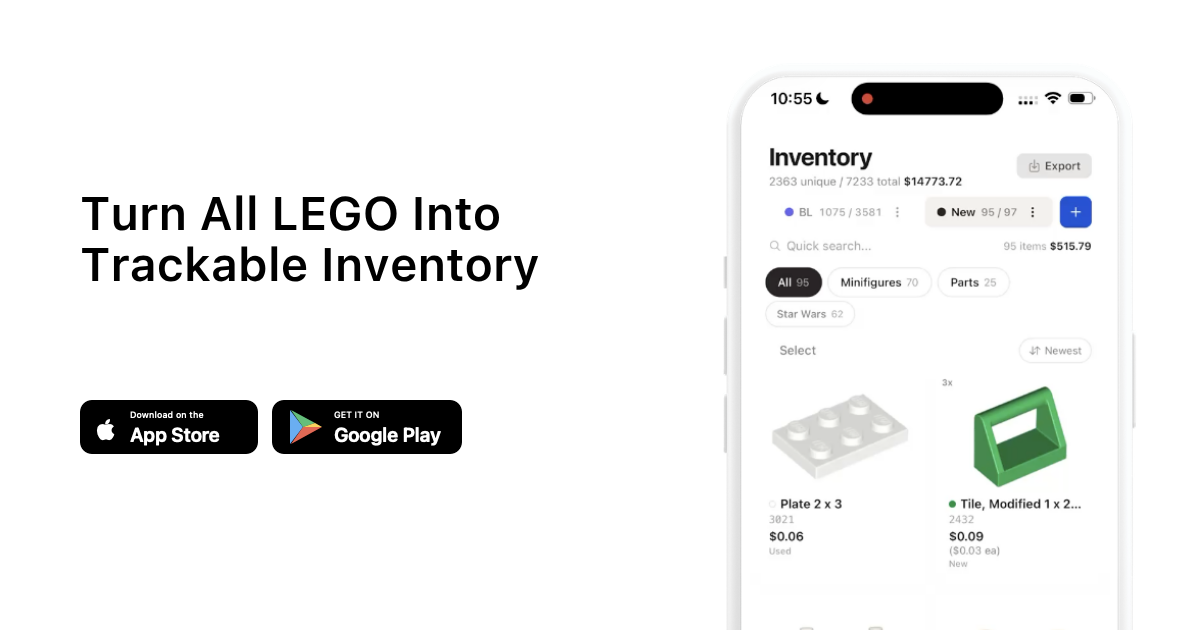
If you're trying to get your whole store organized rather than fixing it piecemeal, it's worth setting up a proper system once rather than patching the same problems every few months. You can read more reseller workflow breakdowns like this one on the brick'em blog, and if you want to try scanning and tracking inventory digitally instead of by hand, you can check out brick'em directly.
Frequently Asked Questions
How do I start organizing LEGO inventory for eBay if I have hundreds of items already?
Start by sorting everything into four buckets: minifigures, sealed sets, loose sets, and parts, without worrying about exact pricing yet. Once sorted, work through one bucket at a time, cataloging cost and condition before listing anything. Trying to organize and list simultaneously with a large backlog usually stalls out within a week.
Do I need separate storage for minifigures versus sets?
Yes, minifigures should be stored separately in small labeled containers since they're easy to lose track of and condition matters a lot for value. Sealed sets need flat, stable storage away from sunlight to protect box condition, while loose sets can go in bins by theme until you're ready to sort and list them individually.
How often should I update my eBay LEGO prices?
Review pricing on unsold items every 30 to 45 days against fresh sold comps, not just when something has been sitting for months. Prices on actively traded themes like Star Wars or Ninjago can shift faster than slower moving categories, so frequent small checks beat one big repricing pass.
Is it worth tracking cost basis per item instead of per lot?
Yes, per item cost basis is worth the extra effort because it tells you which categories are actually profitable versus which ones just feel busy. Lot level tracking alone can hide the fact that minifigures are carrying your margin while bulk loose parts are barely breaking even.
When should I stop selling on eBay and try another platform instead?
Consider another platform when a specific category consistently sits unsold on eBay past 60 to 90 days despite fair pricing and complete listings. That's usually a demand mismatch rather than a pricing problem, and platforms like Whatnot or Facebook Marketplace can reach different buyers for the same inventory.