


A BrickLink store setup guide exists for one reason: opening a store the right way the first time saves you weeks of fixing mistakes later. Setting up a BrickLink store means creating your seller account, filling in store settings and policies, building a clean first batch of lots, pricing them against real market data, and configuring shipping rules before a single buyer ever shows up. Most new sellers rush the fun part, listing minifigures, and skip the boring part, settings and shipping, then wonder why orders sit unpaid or feedback turns sour.
I've opened and rebuilt BrickLink stores more than once, and in my experience the sellers who land a real first sale fast are the ones who treat setup like a checklist instead of an afterthought. This guide walks through every step from zero to your first completed order, including the pricing and shipping decisions that actually separate a store that sells from one that sits empty.
- Create your BrickLink seller account and fill out store policies before you list a single lot
- Use real BrickLink price guide data, not guesses, to price your first items
- Start with 50 to 100 clean, correctly identified lots rather than thousands of unsorted parts
- Set shipping rules that protect your margin on low-dollar orders under $5
- Expect your first sale to take days, not hours, and build your store around that reality
What Do You Need Before You Open a BrickLink Store?
You need a BrickLink account, a way to accept payments (PayPal is standard on BrickLink), a shipping setup with packaging on hand, and an actual inventory of parts, minifigures, or sets to sell. You do not need thousands of pieces to start. A focused batch of clean, identified lots will outsell a messy warehouse every time.
Before you touch the store settings page, I recommend sorting whatever you already own into groups: complete minifigures, loose parts, and sets. If you picked up a bulk lot from Facebook Marketplace or a garage sale, this is the point where you separate what's sellable from what's filler. A lot of sellers I know skip this step and pay for it later when buyers open boxes full of damaged or wrong pieces.
If you're still building your initial inventory, running your pieces through brick'em's minifigure database before you list anything will save you from the classic new-seller mistake: misidentifying a figure and pricing a $40 item at $4.
How Do You Set Up Your BrickLink Store Settings?
You set up BrickLink store settings by registering as a seller, naming your store, writing your terms (shipping, returns, combined-order policy), and connecting PayPal for payouts. BrickLink walks you through this during registration, but the default settings are not optimized for a new seller, so plan to adjust several fields before you go live.
Your store terms page matters more than most beginners expect. Buyers read it before ordering, especially on anything over $20. I personally keep mine short: handling time, combined shipping policy, and what happens if a part arrives damaged. Vague or missing terms are one of the fastest ways to get a nervous buyer to cancel before checkout.
Set your minimum order amount carefully. BrickLink lets you require a minimum buy, which matters because individual low-dollar parts rarely justify the time to pack and ship alone. Many sellers set a $3 to $5 minimum so a single order covers your packaging and time, not just the part itself.
How Should You Price Your First Lots on BrickLink?
You price BrickLink lots using the built-in price guide, which shows recent sold prices and current asking prices for that exact part, color, and condition. Pull up the price guide for every item before you list it. Guessing is how new sellers either scare off buyers with inflated prices or give away valuable pieces for pennies.
From what I've seen, most BrickLink sellers price within a tight band: at market, a dollar under market, or slightly above for faster-moving items. That tight clustering is exactly why BrickLink works as a pricing reference. I've called it the Wall Street of LEGO before, because the price guide data is some of the most reliable in the hobby, and brick'em's own pricing leans on that same BrickLink-integrated data to help resellers price faster.
Rare minifigures are where pricing mistakes get expensive. A figure that looks ordinary can carry real value because of character demand. Some rare minifigures, roughly two-thirds the size of an index finger, have sold for $2,000 to $3,000. Before you price anything you suspect is scarce, check the price guide history rather than pricing from memory.
If you're sitting on a larger collection and trying to figure out what the whole thing is worth before you start listing piece by piece, running it through brick'em's collection value calculator first gives you a baseline so you know which lots are worth your time to list individually.
What's the Fastest Way to Build Inventory for Your Store?
The fastest way to build BrickLink inventory is starting with items you can identify and price with confidence, then expanding once your first lots sell. New sellers often try to list everything they own on day one, which delays launch by weeks. Launch with 50 to 100 solid lots instead, and add more weekly.
Bulk lots are the classic way reseller inventory gets built. Buying a mixed box at a discount, sorting it, and relisting the valuable pieces individually is how a lot of LEGO reselling businesses actually start. The catch is time: sorting a bulk lot by hand can eat an entire weekend if you're identifying minifigures one at a time.
I use a bulk minifigure scanning workflow to speed that part up, since manually searching each figure against a catalog is the single slowest part of getting new inventory store-ready. If you've just picked up a haul and want to know what it's actually worth before you commit hours to sorting it, brick'em's haul calculator is built for exactly that gap.
Don't overlook incomplete sets either. A set missing a few pieces is not junk, it's fixable inventory. BrickLink is where you source the exact missing parts, by color and part number, to complete a set before reselling it for more than a loose, incomplete version would ever bring.
How Do You Set Up Shipping Without Losing Money?
You set up BrickLink shipping by defining handling time, offering at least one tracked option, and building your packaging cost into your pricing rather than your shipping charge. Many new sellers undercharge shipping to look competitive, then lose margin on every small order once bubble envelopes, boxes, and tape are factored in.
Low-dollar orders are the trap. On platforms like eBay, sellers often can't justify shipping anything under $5 because the fees and packaging eat the entire sale. BrickLink is different: its selling fees are much lower, which is exactly why sellers are willing to ship a $4 part as long as the buyer covers reasonable shipping. That fee gap is one of the clearest reasons serious resellers keep a BrickLink store even when most of their volume happens elsewhere.
Weigh a few sample packages before you finalize your shipping settings. Guessing at postage is how new sellers end up eating a loss on every single order in their first week.
What Do BrickLink Store Fees Actually Look Like?
BrickLink charges sellers listing and selling fees that are lower than most general marketplaces, which is a major reason it works for low-dollar, high-volume LEGO selling. Exact fee tiers and thresholds change over time, so check BrickLink's current fee schedule directly before you finalize your pricing strategy, rather than relying on a number you read somewhere else.
For comparison, I've sold over $100,000 of LEGO on eBay, and the picture there looks different. eBay's reach is enormous, but promoted listings, which you often need to get real visibility, can push your effective take rate close to 25% of the sale. BrickLink's lower fee structure is part of why sellers tolerate a smaller, slower-moving audience in exchange for keeping more of each sale, especially on individual parts and minifigures under $10.
There's also a less obvious opportunity worth knowing about as you grow: larger sellers sometimes acquire entire BrickLink stores from smaller sellers who want out, often paying somewhere around 30% to 50% of the inventory's market value for the whole lot. It's not a day-one concern, but it's useful context for where a serious BrickLink store can eventually lead.
Heads up: This is not financial or legal advice. We're sharing what we've learned from the LEGO reselling community.
How Do You Get Your First Sale on a New BrickLink Store?
You get your first BrickLink sale by pricing competitively against the price guide, listing items buyers are actively searching for, and being patient, since a brand-new store with zero feedback takes longer to earn buyer trust than an established one. Expect your first sale to land somewhere between a few days and a couple of weeks, not hours.
Popular, liquid themes move faster for new sellers. In my experience, Star Wars and Ninjago minifigures tend to sell quickly because demand is broad and recognizable, while niche or low-demand categories can sit for a while even when priced correctly. Lean on your early lots being things buyers are already searching for, not just what you happen to own.
Once that first order comes in, pack it carefully and ship it fast. Your first few transactions set the feedback that every future buyer will read before they trust your store with a bigger order.
Common Mistakes New BrickLink Sellers Make
New sellers lose the most time and money by skipping price guide checks, under-pricing shipping, listing before terms are set, and misidentifying parts or minifigures. Each of these is fixable before it costs you a sale, which is exactly why they belong on a pre-launch checklist rather than something you learn the hard way.
I've noticed the misidentification mistake hits new sellers hardest, because a wrongly labeled minifigure doesn't just sell for the wrong price, it can also get returned or disputed once a buyer realizes what they actually received. Double-checking identification before you list, especially for anything that looks even slightly unusual, pays for itself quickly.
BrickLink Store Setup Checklist: Zero to First Sale
Use this as a quick extractable reference while you work through your own launch. Each row is a step most new sellers need to complete before their store is genuinely ready for buyers.
| Step | What To Do | Typical Time |
|---|---|---|
| 1. Register | Create your BrickLink seller account and connect PayPal | 15 minutes |
| 2. Store settings | Write store terms, set handling time and minimum order | 30 to 45 minutes |
| 3. Sort inventory | Separate complete minifigures, loose parts, and sets | 2 to 5 hours per bulk lot |
| 4. Identify items | Confirm part numbers, figure names, and condition | Varies by lot size |
| 5. Price lots | Check the BrickLink price guide for each item before listing | A few minutes per lot |
| 6. Create listings | List 50 to 100 lots to start, add more weekly | 1 to 2 hours initial batch |
| 7. Set shipping | Weigh sample packages, set tracked shipping options | 30 minutes |
| 8. Wait and respond | Monitor messages, be ready to answer buyer questions fast | Days to a couple weeks |
If you want the inventory side of this checklist to move faster, brick'em's free signup gives you bulk scanning and export tools built around exactly this kind of first-time setup. And if you want more platform comparisons once your BrickLink store is live, the rest of the brick'em blog covers eBay, Whatnot, and Facebook Marketplace workflows for the same inventory.
Frequently Asked Questions
How long does it take to set up a BrickLink store?
Store registration and settings take under an hour for most sellers. The real time sink is sorting and identifying your first batch of inventory, which can take anywhere from a couple of hours to a full weekend depending on how large and mixed your starting lot is.
Do I need a lot of inventory to start a BrickLink store?
No. A focused batch of 50 to 100 correctly identified, well-priced lots will outperform a disorganized store with thousands of unsorted parts. I recommend launching small, learning how buyers respond, and expanding your inventory weekly rather than trying to list everything you own on day one.
How are BrickLink fees different from eBay or Whatnot fees?
BrickLink's fees are generally lower than eBay's, especially once you factor in eBay promoted listings, which can push the effective take rate toward 25% of a sale. That lower fee structure is a big reason BrickLink still makes sense for low-dollar parts and minifigures that wouldn't be worth listing elsewhere. Always confirm current fee tiers directly on BrickLink before pricing.
What should my first BrickLink listings be?
Start with items you can identify and price with full confidence using the price guide, ideally from liquid, recognizable themes like Star Wars or Ninjago. Save uncertain, rare, or unusually valuable pieces for after you've built some comfort with listing, pricing, and shipping on the platform.
Why hasn't my new BrickLink store sold anything yet?
A brand-new store with no feedback history naturally takes longer to earn buyer trust, so a quiet first few days is normal, not a sign something's wrong. Double-check your pricing against the price guide, confirm your terms and shipping are clear, and give it one to two weeks before assuming you need to make changes.
What Do These LEGO Selling Platforms Look Like?
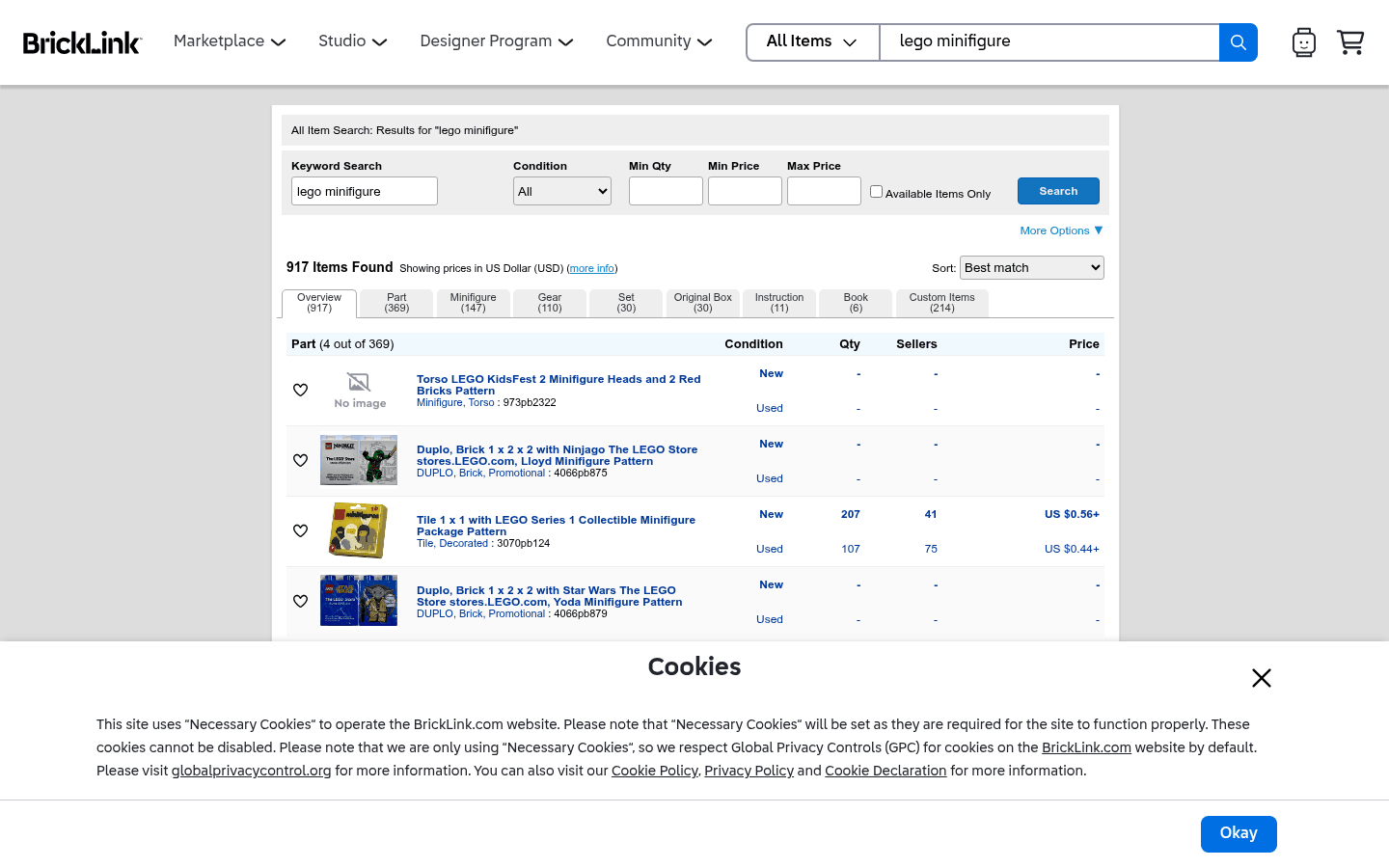
Before choosing where to sell, it helps to see the difference between a live-selling marketplace, a broad search marketplace, a LEGO-native catalog, and a social or local channel. These screenshots are visual references only. Platform interfaces, fees, and rules can change.
.png)

