


Heads up: This is not financial or legal advice. We are sharing what we have learned from the LEGO reselling community.
Starting a BrickLink store is straightforward if you know the order of operations. You create an account, verify your identity, set up payment methods, list inventory, and process your first sale. Most sellers complete basic setup in under an hour, though your first listing and pricing take longer if you are figuring out BrickLink's market data for the first time.
BrickLink is the go-to platform for collectors, builders, and resellers to buy and sell individual LEGO pieces, minifigures, small lots, and sets. It is the pricing and inventory backbone of the LEGO resale world. Sellers prefer BrickLink because fees are lower than eBay or Whatnot, and buyers expect accurate condition descriptions and realistic pricing. If you have LEGO to sell, BrickLink should be part of your strategy.
Key takeaways
- Create a BrickLink account, verify identity via government ID, and set up store information before listing.
- Understand BrickLink fees (3% to 5% per transaction) before pricing inventory.
- Price carefully using BrickLink's own price guide data, not guesses or competitor platforms.
- Start with a small batch of items to learn the platform before scaling to 100+ listings.
- Condition ratings, clear photos, and honest descriptions prevent returns and build trust.
- Payment setup takes a few days to process. Have a backup plan for your first week of sales.
Why BrickLink matters for LEGO resellers
BrickLink has been the standard for LEGO transactions since 1997. It is not the only platform to sell LEGO, but it is the one where serious collectors and builders expect accurate inventory, fair pricing, and professional conduct. Unlike eBay or Whatnot, BrickLink buyers are not bargain hunting. They are looking for specific parts, minifigures, or sets at fair market value. That means less price pressure and more stable margins if you price correctly.
From what I have seen selling on both BrickLink and eBay, the buyer expectations are completely different. On BrickLink, collectors know the market and they will not overpay. On eBay, sellers use promoted listings and the overall fee structure can balloon to 13.25% or higher in total commissions. Many resellers use BrickLink as a secondary or complementary channel. A seller might buy bulk lots on eBay or Facebook Marketplace, scan items with the brick'em minifigure scanner to identify value, list high-margin items on Whatnot, and move slower inventory or individual parts to BrickLink. BrickLink is also where you go when you have 50 loose minifigures to move at fair prices without the hassle of live selling or managing auctions.
The platform is owned by LEGO, which means it gets official support and regular updates. That stability matters if you are betting your inventory business on the platform.
Step 1: Create your account and verify identity
Go to BrickLink.com and click "Register." You will need a valid email address, username, and password. Keep your username professional. Buyers see it on every transaction. "BrickMaster42" or "LegoDealsFast" work. "xXNoobSlayer420Xx" does not.
After creating your account, BrickLink requires identity verification to sell. This is a legal requirement, not a choice. You will need to provide a government-issued ID (passport, driver's license, national ID card) that matches the name and country on your BrickLink account. The verification process is fast if your document is clear. Blurry photos or mismatched details slow things down.
Upload a clear photo of both sides of your ID. Make sure your face is visible if using a driver's license, and the text is readable. BrickLink uses automated systems first, then manual review if needed. Most sellers are verified within 24 to 48 hours. Some take longer if the system flags a mismatch or quality issue.
Once verified, you can sell immediately. You do not need a physical store location or business license to start, though tax obligations depend on your country and local rules. That is a question for your accountant or tax professional, not this guide.
Understanding BrickLink fees and payment method setup
BrickLink fees are lower than eBay, but they are not zero. According to BrickLink's official fee structure, you pay a commission on each sale. The exact rate depends on your account status and region, but expect around 5% to 6% of the final sale price (not including shipping). On a 50 dollar sale, that is roughly 2.50 to 3 dollars. In my experience, most BrickLink transactions average 3% in platform commission plus PayPal processing fees around 2.2%, totaling closer to 5% when you factor in payment processing. This is significantly lower than eBay's 13.25% total fee structure including promoted listings.
BrickLink also charges a small listing fee for certain categories. Part listings are usually free. Minifigure and set listings may have a small flat fee (typically under 0.25 dollars per listing if you set a minimum price). These fees are shown before you confirm a listing, so you will see them coming.
Shipping costs are handled separately. Buyers pay you directly for shipping, and you keep 100% of that amount. There is no commission on shipping fees.
Payment method setup happens in your account settings. BrickLink accepts bank transfers, PayPal, and Payoneer depending on your location. Set up your preferred method early because processing can take a few days. Your first sale might sit for three to five business days before it arrives in your account. Plan your cash flow accordingly.
| Fee type | Amount | When charged |
|---|---|---|
| Commission (sale) | 3% to 6% | On each sale |
| Listing fee | Free to 0.25 dollars | When listing (varies by category) |
| Store subscription | Optional, tiered | Monthly if you choose it |
| Shipping | You set it | Buyer pays, you keep 100% |
Store subscriptions are optional. A free account lets you list up to 100 items at a time. If you want to list more, subscriptions start around 10 dollars per month and scale up. Most new sellers do not need a subscription immediately. Start with a free account, list 50 to 100 items, and upgrade only if you outgrow the limit.
Step 2: Set up your store information and policies
Before listing your first item, fill in your seller profile. Go to Settings, then Store Information. Add a brief seller name, location, and short bio. Something like "Casual LEGO collector selling extras" or "Bulk lots and minifigures from my collection" is fine. You do not need a fancy storefront at the start.
Add your shipping and payment information. You set your own shipping rates and methods. Common options are USPS First Class, Priority Mail, or UPS Ground depending on your location and package weight. BrickLink shows your rates to buyers at checkout, so be honest and competitive. If a 5-dollar minifigure costs 8 dollars to ship and buyers can get it cheaper elsewhere, you will not sell it.
Read BrickLink's terms of service. You need to agree to their seller code of conduct. The main rules are simple: no counterfeit parts, no undisclosed damage, no deceptive photos, no spam, and no off-platform communication to avoid fees. Violate these and your account gets suspended. Follow them and you have no problems.
Set a response time. BrickLink recommends replying to messages within 24 to 48 hours. Buyers care about this. A slow or non-responsive seller gets fewer sales, even if prices are good.
Step 3: Prepare your inventory and understand condition ratings
Condition is everything on BrickLink. Buyers will pay 20% to 50% more for a minifigure in pristine condition versus one that is worn or played with. You must be honest about condition or you will get returns and negative feedback. When I sort through a bulk lot of minifigures, the first thing I do is separate them by condition. The difference in value is enormous, and honest grading builds repeat customers.
BrickLink uses a standard condition rating system:
- New: Sealed, never opened. Not relevant for most used inventory unless you have old stock.
- Like New: Opened but never played with. No visible wear, stains, or discoloration. Closest to factory condition.
- Very Good: Minimal play wear. A small scuff or two, but otherwise clean and complete. Most minifigures in collectors' collections fall here.
- Good: Moderate play wear. Visible scratches, fading, or light staining. Still fully functional and complete.
- Acceptable: Heavy wear. Cracks, deep stains, fading, or evidence of heavy play. Still usable but clearly aged.
New sellers often over-rate condition to justify higher prices. This backfires. Buyers will return items that do not match descriptions, and you lose money on return shipping and restocking. Rate conservatively. If a figure looks good but you are unsure, go one condition tier down. You will sell it anyway.
Use clear photos. Show the front and back of minifigures. Zoom in on any damage, staining, or wear. Sunlight or clear indoor lighting matters. Blurry or dark photos hurt sales. Many casual sellers lose money because they did not invest five minutes in better photos.
Step 4: Price your listings using BrickLink data and market research
This is where most new sellers struggle. Pricing too high means no sales. Pricing too low means leaving money on the table. The solution is BrickLink's own price guide and the brick'em price guide.
BrickLink tracks sold prices for every item in their catalog. When you go to list a minifigure or part, BrickLink shows you the average price for that item in each condition tier over the last several months. This is your guideline. Set your price at or slightly below the average for the condition you listed. For example, if a classic Luke Skywalker minifigure is averaging 12 dollars in Very Good condition, list it for 11 or 12 dollars, not 18 dollars. Buyers know the market. They will not overpay, and they will find you when your price is fair.
A few exceptions exist. Rare retired figures or sets sometimes command premiums, but BrickLink's price guide captures that. If a figure averages 100 dollars, list it at 95 to 105 dollars. Let the market tell you.
New sellers often research prices on Google or eBay. Stop. eBay prices are inflated because sellers use promoted listings and buyers sometimes overpay for convenience. BrickEconomy aggregates BrickLink data and is useful for spot checks, but BrickLink's own price guide is the source of truth. From what I have found selling on multiple platforms, condition-based pricing on BrickLink outperforms eBay by 15% to 20% in terms of sell-through rate because buyers expect accurate, fair pricing.
Step 5: Create your first 10 to 20 listings
Start small. Do not list your entire collection on day one. Pick 10 to 20 items you know are correctly priced and in honest condition. This lets you learn the listing interface, handle your first sales, and build confidence before scaling. I have personally processed hundreds of bulk lots, and the biggest time sink is always identification. Use the brick'em minifigure database to verify set numbers and part colors before listing anything.
When creating a listing, search for the item by set number, part number, or name. BrickLink's catalog is huge and well-organized. Click the item, then "Sell this item." You will fill in:
- Condition tier (use the definitions above)
- Quantity (how many you have)
- Price (based on the price guide)
- Description (optional but useful for special details)
- Photos (upload clear images showing front and back)
The description is where you note any damage, missing parts, or special details. If a minifigure is missing its left hand, say so. If a set box is creased but the contents are complete, say so. Honesty prevents returns and builds long-term reputation.
Shipping method and cost go in your store settings, not individual listings. Set reasonable rates. If you are shipping a minifigure in a padded envelope via USPS First Class, that is usually 3 to 5 dollars depending on distance. Set your rate to match actual costs plus a small handling fee (usually 0.50 to 1 dollar total).
Once you publish, your listing is live. BrickLink indexes it immediately. Buyers searching for that item will see it if they filter by location, condition, and price. If your price is reasonable, you will get inquiries or direct purchases within days.
Step 6: Process your first sale and build systems
When someone buys from you, BrickLink sends a notification immediately. You see the buyer's address, the item, the quantity, and any special instructions. Your job is to pack, ship, and mark the order as shipped within a reasonable timeframe (BrickLink suggests within five business days, but sooner is better).
Pack carefully. LEGO minifigures can be damaged in transit if they are loose or crushing around. Use a small padded envelope or box, bubble wrap or tissue, and tape it securely. Include a printed label or handwritten note confirming the order. Professionalism matters.
Ship the same or next day if possible. Go to your post office, UPS store, or FedEx, buy a label, and drop it off. BrickLink lets you input tracking numbers. Do this. Buyers love tracking, and it protects you if a package is lost.
Once shipped, update the BrickLink order status to "Shipped" and add your tracking number. BrickLink emails the buyer automatically. You are done.
The buyer receives the item, checks condition, and leaves feedback. If everything is accurate, you get positive feedback and a successful sale. That builds your reputation. Reputation on BrickLink matters a lot. Buyers filter by seller rating. New sellers start at zero, but after 10 to 20 solid sales, you will have enough feedback to stand out.
Common mistakes new BrickLink sellers make and how to scale
Overpricing: The biggest mistake. New sellers list at 30% to 50% above market, hoping to negotiate. BrickLink is not an auction platform. Buyers do not negotiate much. They shop around. Price fairly or do not sell.
Inaccurate condition ratings: Listing a worn minifigure as Very Good guarantees returns. Rate honestly. You will still sell it. Acceptable and Good conditions have buyers too.
Poor photos: A minifigure with a bad photo from someone's phone camera looks worse than the same figure with a clear close-up. Spend two minutes on good lighting and zoom. Sales increase.
Not reading messages: BrickLink buyers message sellers with questions about condition, availability, or combined shipping. Ignore these and sales drop. Respond within 24 hours.
Slow shipping: Buyers track shipments. If you sit on an order for five days before shipping, they get annoyed. Aim for next-day or two-day shipping whenever possible.
Ignoring returns: BrickLink has a buyer protection policy. If a buyer receives an item that does not match your description, they can request a return. Handle it professionally. Your reputation depends on it.
Once you have your first five to ten sales under your belt, you can scale. Listing 10 to 20 items manually teaches you the platform. Listing 100 items requires a system. BrickLink allows bulk uploads via CSV or XML. If you have a spreadsheet of inventory with condition, quantity, and price, you can upload it all at once instead of clicking through 100 forms.
Before scaling to 100 listings, check whether you need a store subscription. Free accounts cap at 100 concurrent listings. If you sell one item, that slot opens again. If you have a rotating inventory of 150 items, upgrade to a paid subscription so everything stays live.
Pricing at scale requires discipline. You cannot manually review 100 prices. Use BrickLink's price guide as your system. Set a rule: list everything at 95% of the average price in that condition tier. Stick to it. You will sell fast and build trust faster than a seller trying to squeeze every last dollar.
When to use BrickLink versus Whatnot, eBay, and Mercari
BrickLink is not the only place to sell LEGO. The choice depends on what you are selling and your time availability.
Use BrickLink for: Individual minifigures, parts, small lots, and older or rarer items. Collectors expect it. Prices are stable. Fees are low. Buyer protection is strong. No live selling or shipping pressure. In my experience, sellers who focus on BrickLink with consistent pricing see higher sell-through rates and fewer returns than those juggling multiple platforms.
Use Whatnot for: Bulk lots, new items, and seller personality. Whatnot is live auction and sales. You show items on a stream, buyers bid or buy, and you get paid. Whatnot buyers pay premiums for the entertainment and personal connection. Fees vary but can be low on no-fee-day events. Requires consistent streaming schedule and comfort on camera.
Use eBay for: Broader audiences and higher-value lots. eBay has more buyer traffic than BrickLink for casual buyers, but promoted listings can push commissions to 20% to 25%. Best for items you want to move fast and do not mind competitive pricing.
Use Mercari for: Quick sales of lower-value lots and casual buyers. Mercari has a young, deal-seeking audience. Good for clearing inventory fast. Fees are reasonable (around 10%) but buyers expect bundle deals and negotiation.
Many successful LEGO resellers use all four platforms. They buy bulk on Facebook Marketplace or eBay, scan with the brick'em scanner to identify value, list minifigures on BrickLink at fair prices for steady sales, run live shows on Whatnot for personality-driven, high-margin sales, and use Mercari and eBay for broader reach on bulk or casual buyers. That is the workflow that works.
Understanding BrickLink's terms of service and staying compliant
BrickLink's terms are straightforward for honest sellers. The main rules:
- No counterfeit parts. Do not knowingly list knockoff LEGO.
- No undisclosed damage. Rate condition honestly and describe damage in the description.
- No deceptive photos. Do not use inflated lighting or angles that hide damage.
- No spam or unwanted contact. Do not message buyers with unsolicited offers or links.
- No off-platform deals. Do not ask buyers to communicate or pay outside BrickLink to avoid fees. This gets accounts banned.
Stay compliant and you will never have issues. BrickLink does not flag accounts for slow sales or low volume. They flag them for dishonesty or rule violations.
One nuance: BrickLink reserves the right to remove listings if they believe an item is priced above fair market value or is otherwise suspicious. This is rare but happens. If a minifigure that normally sells for 20 dollars is listed for 500 dollars, an admin might remove it. Price fairly and this is not a concern.
Frequently Asked Questions
How long does it take to get my first sale on BrickLink?
If you price items fairly and use clear photos, expect your first sale within three to five days. Some items sell the same day. Slow-moving items take weeks. Fair pricing and honest condition ratings speed things up. A common experience: list 20 minifigures at fair prices, and two to four sell within the first week.
What is the best shipping method for BrickLink minifigures?
USPS First Class Mail or Priority Mail is standard. First Class is cheap (usually 3 to 5 dollars for a small padded envelope) and fast (three to five business days). Priority is faster (one to three days) but costs more (6 to 12 dollars). Buyers rarely pay premiums for Priority, so First Class is the norm. Include tracking in your rate.
Can I list items on BrickLink and other platforms at the same time?
Yes, many sellers do. The complication is inventory sync. If you sell three minifigures on Whatnot, you need to remember to remove three from your BrickLink listing. Spreadsheets or inventory apps help. Manual syncing works at small scale (10 to 20 items per platform) but gets painful at 100+ items. Plan accordingly.
How much should I charge for shipping?
Match actual costs plus 0.50 to 1 dollar handling. A padded envelope with USPS First Class for a minifigure to a neighbor costs 3 dollars. To across the country, 4 to 6 dollars. Set regional rates if BrickLink allows it, or use your most common shipping cost. Overcharge and buyers abandon carts. Undercharge and you lose money on every sale.
Do I need a business license to sell on BrickLink?
Depends on your country and local laws. In the US, casual sales from your collection usually do not require a license. If you source bulk lots and resell regularly, that looks like a business, and many states expect a license. This is a tax and legal question, not a BrickLink one. Consult a tax professional in your area.
What makes brick'em different from other LEGO reselling tools?
The brick'em minifigure scanner uses photo recognition to identify minifigures in bulk, pulling data from a database covering 18,900+ LEGO minifigures with BrickLink-derived pricing. This eliminates manual lookups and speeds up inventory identification by 10x compared to manual set number searches. The price guide integrates directly with BrickLink market data, so you see fair prices instantly.
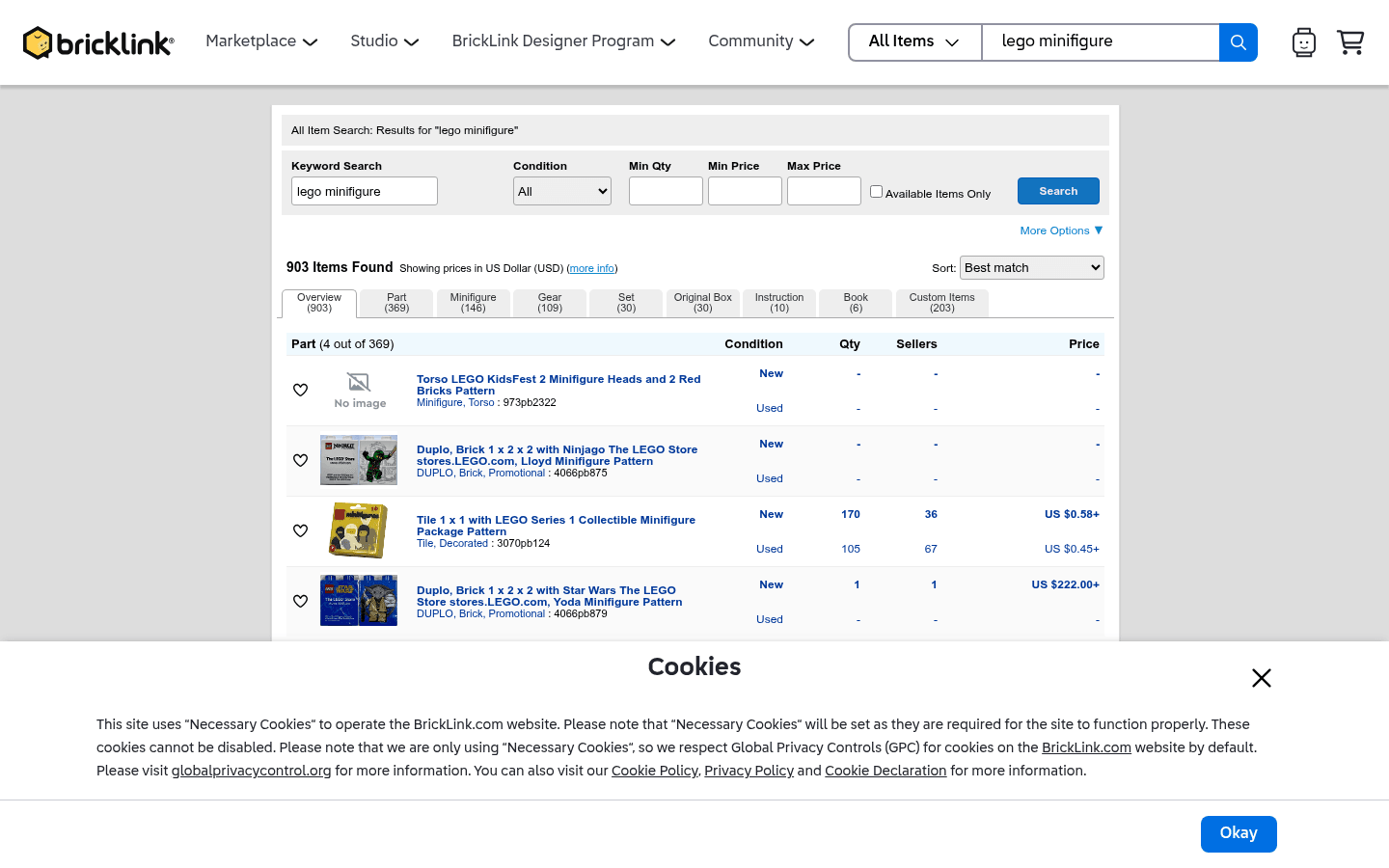
What do these LEGO selling platforms look like?
Before choosing where to sell, it helps to see the difference between a live-selling marketplace, a broad search marketplace, a LEGO-native catalog, and a social or local channel. These screenshots are visual references only. Platform interfaces, fees, and rules can change.
CTA(Identify%20and%20Price%20100%2B%20Figures%20With%20One%20Pic).png)

