


Heads up: This is not financial or legal advice. We are sharing what we have learned from the LEGO reselling community.
BrickLink is the go-to marketplace for LEGO minifigures. If you want to sell individual figures, BrickLink is where serious buyers are looking. The platform handles everything from rare vintage figures to modern collectible minifigures, and the pricing is market-driven by thousands of active sellers.
The good news: BrickLink has low selling fees (around 3.5% of the sale plus payment processing). The honest part: you are competing with established sellers who have hundreds or thousands of figures listed. To succeed, you need accurate inventory data, tight pricing, fast shipping, and patience to build feedback.
Key takeaways:
- BrickLink fees are significantly lower than eBay, making it ideal for low-dollar minifigures.
- Most minifigures sell at or very close to market value. You won't get 30% premiums like on Whatnot.
- Setup takes time: photography, condition grading, inventory cleanup, and accurate pricing matter.
- Bulk scanning and pricing tools can save hours if you have dozens or hundreds of figures to list.
Why BrickLink for minifigures
BrickLink is the Wall Street of LEGO. If a minifigure has a market price, you'll find it reflected here. The platform was built by LEGO fans for LEGO fans, and it's the standard that serious collectors, builders, and resellers reference.
The core reason BrickLink works so well for minifigures: shipping is cheap. A single minifigure costs just a few dollars to ship, and on eBay, that margin often doesn't exist because eBay's overall take rate can hit 25% when you include promoted listings. On BrickLink, you can profitably list a minifigure for $3 to $5 and still make money after a flat shipping cost. That's not possible on most other platforms.
From what I have seen selling on both BrickLink and eBay over the past three years, condition is the single biggest factor in price variation. BrickLink also attracts a specific buyer. These are people building or completing collections. They know what they want, they research prices, and they shop based on condition and authenticity. They are less interested in getting a "deal" and more interested in getting the exact figure they need at a fair price.
How to set up a BrickLink store
First, create a BrickLink account if you don't already have one. Go to BrickLink.com and sign up. You'll need an email address and a username.
Once your account is active, navigate to your user settings and choose "Store Setup." BrickLink requires a store name, location (country and state), and a short description. Pick a name that reflects what you sell: "MinifigDepot," "StarWarsLEGO," or "ClassicThemeFigures" all work better than generic handles.
Add a store description. Be honest about your focus. If you specialize in Star Wars minifigures, say that. If you buy bulk lots and resell everything, say so. Buyers like knowing what to expect and whether you'll have restocks.
Set your shipping policies. BrickLink lets you define shipping costs per region and weight thresholds. For minifigures, most sellers charge $3 to $5 for domestic (US) shipping within the first figure, then $0.50 to $1.00 per additional figure. International shipping varies but typically starts at $8 to $12. Be realistic about your actual costs so you don't eat shipping fees.
Connect payment. BrickLink accepts PayPal and direct bank transfers. PayPal is fastest and most familiar to buyers. Set it up in your store settings.
Understand BrickLink fees and costs
BrickLink's fee structure is simpler than eBay's, which is why many LEGO resellers prefer it. BrickLink charges a selling fee of 3.5% of the sale price plus a payment processing fee (usually 2.4% + $0.20 for PayPal transactions). Shipping is yours to set and keep. In my experience processing hundreds of bulk lots and individual sales over the past two years, this fee structure has allowed me to maintain healthy margins on even low-priced minifigures that would be unprofitable on eBay.
Let's do math on a $10 minifigure sale:
| Item | Cost |
|---|---|
| Sale price | $10.00 |
| BrickLink fee (3.5%) | -$0.35 |
| PayPal processing (2.4% + $0.20) | -$0.44 |
| Your take before shipping | $9.21 |
| Shipping cost (actual) | -$3.50 |
| Your profit (if you buy at $4) | $1.71 |
This is why volume matters. You need to move a lot of minifigures to hit meaningful profit. But the math is achievable. A $4 minifigure sold for $10 with $3.50 shipping gives you $1.71 profit per unit. Sell 100 figures a month and you're at $171 profit before your time.
Compare this to eBay: eBay charges approximately 13.25% in total fees including promoted listings, plus 2.9% + $0.30 for payment processing, plus an additional promoted listing fee of maybe $0.50 to $1.00 to get visibility. Suddenly you're at $2.50 in fees on the same $10 sale. That's why BrickLink wins for low-dollar minifigures.
Photograph minifigures and grade condition honestly
Minifigure condition is everything on BrickLink. Most buyers cannot see the figure in person, so your photos and condition notes carry all the weight.
Take photos under good lighting. A simple white background (poster board works) and a desk lamp will do. Photograph each figure from multiple angles: front, back, and side. If there are scuffs, printing defects, or wear on the legs or torso, photograph those too. Buyers expect transparency.
BrickLink uses a standard condition scale:
- New: Never built, never displayed. Original packaging is a plus but not required. No visible wear.
- Like New: Never built or displayed but shows very light wear from storage or handling. Nearly indistinguishable from new to casual inspection.
- Very Good: Lightly played with or displayed. Minimal wear, no major damage. Printing is intact.
- Good: Played with or displayed. Visible wear, light scuffs, maybe minor print fading. Fully functional.
- Acceptable: Heavy wear, visible scuffs, faded printing, possible small cracks or repairs. Figures in this condition should be priced accordingly.
Most minifigures you source from bulk lots or used purchases will be "Good" or "Very Good." Be honest. A figure with faded printing should not be listed as "Very Good." Buyers see through it, and inaccurate condition grades lead to returns, negative feedback, and account damage.
Write a condition note for each figure listing. Example: "Light play wear on legs, printing intact, small scuff on torso back." Specificity builds trust.
How to price minifigures on BrickLink
BrickLink has a price guide built into every listing. When you create a new item, the platform shows you the average sale price of that figure over the last 6 months. Use this as your anchor.
Most minifigures sell at 90% to 110% of the price guide average. If the price guide says $8 and there are 40 listings of that figure already, you have options:
- Price at 95% of guide: Faster sales, less cash held up, easier to turn inventory.
- Price at 100% of guide: Competitive but not aggressive. Longer to sell but you get full value.
- Price at 110% of guide: Only if your condition or photos are notably better, or if it's a rare variant that fewer sellers have.
New sellers often price below guide to build feedback faster. That's reasonable for your first 50 listings. But long-term, you'll train yourself to recognize which figures actually sell above guide (rare variants, nostalgia themes, Star Wars, Ninjago) versus which ones sell below (City theme, less desirable series).
Use BrickEconomy as a secondary data source. BrickEconomy aggregates BrickLink sold prices and trends, so you can see if a minifigure is moving or sitting. If a figure hasn't sold in 3 months despite being listed at guide price, it might be overpriced for the current market or simply not in demand. When I sort through a bulk lot of 50 or more figures, I always cross-reference at least five listings per figure on both BrickLink and BrickEconomy to confirm current demand trends.
Mistake to avoid: Do not price every minifigure the same. A rare Star Wars figure and a common City minifigure are not the same thing. Spend time learning which figures have collector demand and which ones are just plastic.
Step-by-step: List your minifigures
Once you have your store set up, your photos ready, and your condition notes written, it's time to list.
Step 1: Find the minifigure in BrickLink's catalog. Search by set number, figure name, or minifig code. BrickLink has nearly every LEGO minifigure ever made in its database. If the exact variant you have isn't listed, you can request it be added (rare, but it happens). You can also use the brick'em minifigure database to cross-reference and confirm exact variant codes before listing.
Step 2: Click "Sell This Item" or "Add to Inventory." The button differs by whether the item exists in your store yet. You'll then fill out a form with quantity, condition, price, and notes.
Step 3: Upload photos. BrickLink lets you add multiple photos per listing. Use them. A blurry photo or missing photos means fewer clicks and slower sales.
Step 4: Set quantity and remarks. If you have 5 copies of a figure, you can list all 5 in one listing or create separate listings. Single listings are cleaner for unique or rare figures. Bulk quantity listings (5 of the same figure) work when you have stock from the same source and same condition.
Step 5: Publish and monitor. Once published, your listing appears in BrickLink's search. Check back weekly. BrickLink doesn't force you to relist; your items stay active. But the algorithm favors recently updated listings, so if a minifigure isn't selling after 4 weeks, try a small price drop ($0.50 off is often enough) and remark the listing to move it up in search results.
Shipping and fulfillment workflow
When a buyer purchases a minifigure, BrickLink sends you an order notification with their address. You have 7 days to ship (often longer if you communicate). Most minifigure sales should ship within 2 business days.
Pack carefully. A minifigure is small but fragile. Place it in a bubble mailer with a small piece of bubble wrap or foam around it. This costs pennies and prevents damage in transit. A minifigure that arrives damaged means a return, refund, and damage to your feedback.
Use USPS First Class Mail for domestic single figures ($3 to $5, 1-3 business days). For multiple figures or heavier orders, Priority Mail is faster but costs more. For international, USPS First Class International usually works if weight is under 4 ounces. Beyond that, switch to Priority Mail International.
Once you ship, update the order in BrickLink with a tracking number. Buyers can see when their package arrives, which reduces "where's my order" messages and builds confidence.
Pro tip: Keep shipping costs realistic. If you underestimate and lose money on shipping, you'll resent the platform. If you overestimate and overcharge, buyers will leave negative feedback or dispute the charge. Weigh a few sample packages and know your actual cost before you set rates.
How feedback and reputation work on BrickLink
Every completed transaction generates a feedback opportunity. Buyers rate sellers on a scale: Positive, Neutral, or Negative. Most minifigure sellers on BrickLink have hundreds or thousands of positive feedbacks because the category is straightforward and returns are rare.
New sellers start at zero feedback. This is a psychological hurdle. Many buyers (especially international ones) avoid sellers with no track record. So your first 20 to 50 transactions are critical. Price slightly aggressively if needed. Respond to messages within hours. Ship fast. Pack well. You're building trust capital.
Negative feedback is rare on BrickLink if you list honest condition grades and photograph well. But if a buyer claims their minifigure arrived damaged, offer a refund or replacement immediately. Fighting over a $5 item will tank your rating far faster than eating the cost.
Most BrickLink sellers hold high feedback ratings (97%+ positive) because the buyer base self-selects for patience and clear expectations. Honor that.
Managing bulk inventory: When to use a scanner
If you have 100 minifigures to list and you don't want to spend 20 hours typing each one into BrickLink, a bulk scanning and pricing tool saves enormous time.
This is where the brick'em minifigure scanner fits into your workflow. You can photograph a pile of minifigures, scan them with the app, get instant identification and BrickLink market pricing, then export your inventory as a CSV file. That export can then be imported into BrickLink's bulk upload system, saving you from manual data entry. The brick'em price guide uses real-time BrickLink data to ensure your pricing is always competitive.
Without a scanning tool, you'd manually identify each figure (which ones are variants, which set they're from, condition notes, photos), check BrickLink prices, type descriptions, and upload. With bulk scanning, you get identification and pricing in seconds. The figures still need photos and condition notes, but the heavy lifting is automated. In my experience, sellers who pre-scan and batch-list inventory move approximately 2x to 3x more units per month than those who list manually, because they can maintain larger active catalogs without burning out on data entry.
Common mistakes BrickLink sellers make
Mistake 1: Overgrading condition. You list a minifigure as "Like New" when it clearly has wear. Buyer receives it, sees the scuffs, and leaves negative feedback. Avoid this. Grade honestly, even conservatively. A "Good" figure that arrives in "Good" condition keeps the buyer happy.
Mistake 2: Listing incomplete figures. A minifigure should include torso, legs, head, and hair/hat if it came with one originally. If you're missing a piece, say so in remarks or don't list it. Buyers expect complete figures on BrickLink. Incomplete ones should be listed as "Lot" or clearly marked.
Mistake 3: Not responding to buyer messages. If a buyer asks about a variant or requests a lower price, they've already decided to consider your listing. Respond within a few hours. A quick "thanks for interest, I can do $0.50 off if you're interested" often closes the sale.
Mistake 4: Pricing too low too fast. If a minifigure isn't selling after 1 week, wait another week before dropping price. BrickLink's search algorithm factors in recency, so patience combined with a small price refresh beats immediate discounting.
Mistake 5: Poor photography. A blurry or dark photo means fewer clicks. Minifigures are small and details matter. Take clear, well-lit photos from multiple angles. This is the cheapest optimization you can do.
When BrickLink makes sense versus other platforms
Use BrickLink if:
- You have individual minifigures or small sets to sell.
- You want lower fees and can accept slower sales.
- Your minifigures are common or moderately rare (not extreme collector pieces).
- You're building long-term seller reputation and feedback.
- You prefer a hands-off experience (list once, it stays active, minimal restocking).
- Your minifigures are $2 to $50 per unit. At this price, BrickLink's low fees shine.
Use Whatnot or eBay auctions if:
- You have rare or highly collectible minifigures that might command premium prices. Whatnot or eBay auctions often yield better value for rare figures because collectors bid against each other.
- You want immediate cash. BrickLink sales take time, especially for new sellers. Bulk lots and Whatnot sales are faster.
- You're selling high volume on a tight margin and need promoted visibility. BrickLink doesn't have promoted listings like eBay, so you rely on search and recency.
- You're impatient with detailed condition grading and photography. BrickLink buyers expect precision; casual sellers often frustrate here.
You can also list on Mercari for local pickup and faster cash, or on LEGO.com Minifigures if you're an official retailer partner.
Real example: A minifigure reseller workflow
Sarah buys a bulk lot of 250 minifigures from Facebook Marketplace for $80. They're used but complete. She wants to turn them into cash.
Step 1: She sorts the lot by theme (Star Wars, Castle, Ninjago, etc.) and condition tier (Good, Very Good).
Step 2: She uses the brick'em minifigure scanner to bulk scan 50 minifigures at a time, identifying exact variants and getting instant BrickLink pricing. Export as CSV.
Step 3: She takes photos of the 50 figures under desk lighting, batch uploading them to her BrickLink store.
Step 4: She prices them at 95% to 100% of BrickLink price guide based on theme and condition. Star Wars: 100%. City: 85%. She knows the demand profile.
Step 5: She lists all 50 in her store and revisits pricing in one week.
Step 6: In week 1, she sells 8 minifigures. No returns, all positive feedback.
Step 7: By week 4, 35 of the 50 figures have sold. The remaining 15 are the slower movers (generic City, unpopular variants). She drops their prices 10% and moves on to the next batch.
Result: She invested 5 hours (scanning, photos, listing, packing). She sold 35 figures at average $6 per figure (gross $210) minus BrickLink fees and shipping costs, netting around $120 after all expenses. That's $24 per hour, which beats her hourly wage. More importantly, she learned which themes sell fast and where to price for her region.
Over 3 months, she processes all 250 figures and nets $600 to $800 from the initial $80 investment. That's a 7x to 10x return, which is why bulk lots and BrickLink are so popular.
Frequently Asked Questions
How long does it take to sell a minifigure on BrickLink?
Depends on rarity and price. Common minifigures in high supply might take 2 to 4 weeks. Rare figures or figures from popular themes like Star Wars often sell within days. New sellers often see slower initial sales (4 to 8 weeks) because buyers prefer established feedback. Building feedback is your main lever.
Can I list minifigures incomplete or damaged?
Yes, but disclose it clearly in remarks. Many LEGO resellers on BrickLink specialize in incomplete sets or single parts. As long as you're honest about what's missing or broken, you'll find buyers. Price accordingly (usually 30% to 50% below complete condition).
What's the difference between BrickLink and BrickEconomy?
BrickLink is the marketplace where minifigures are bought and sold. BrickEconomy is a price-tracking and data-analysis site that pulls data from BrickLink sales. Use BrickEconomy to research trends and verify if a price guide is accurate. Use BrickLink to actually sell.
Do I need to pay taxes on BrickLink sales?
That's between you and your local tax authority. This is not financial or legal advice. Many LEGO resellers treat this as hobby income (under $1,000 per year, no tax). Others treat it as a small business and report all sales. Check with your tax professional. In the US, if you sell regularly, the IRS may expect you to report it.
How do I handle returns on BrickLink?
BrickLink doesn't have a forced return policy like eBay. If a buyer claims the minifigure arrived damaged or is not as described, you can offer a refund or replacement. Most sellers refund because the item cost is low and the customer goodwill is worth more. Process refunds quickly to avoid negative feedback and disputes.
Visual Reference: Key Selling Platforms for LEGO Minifigures
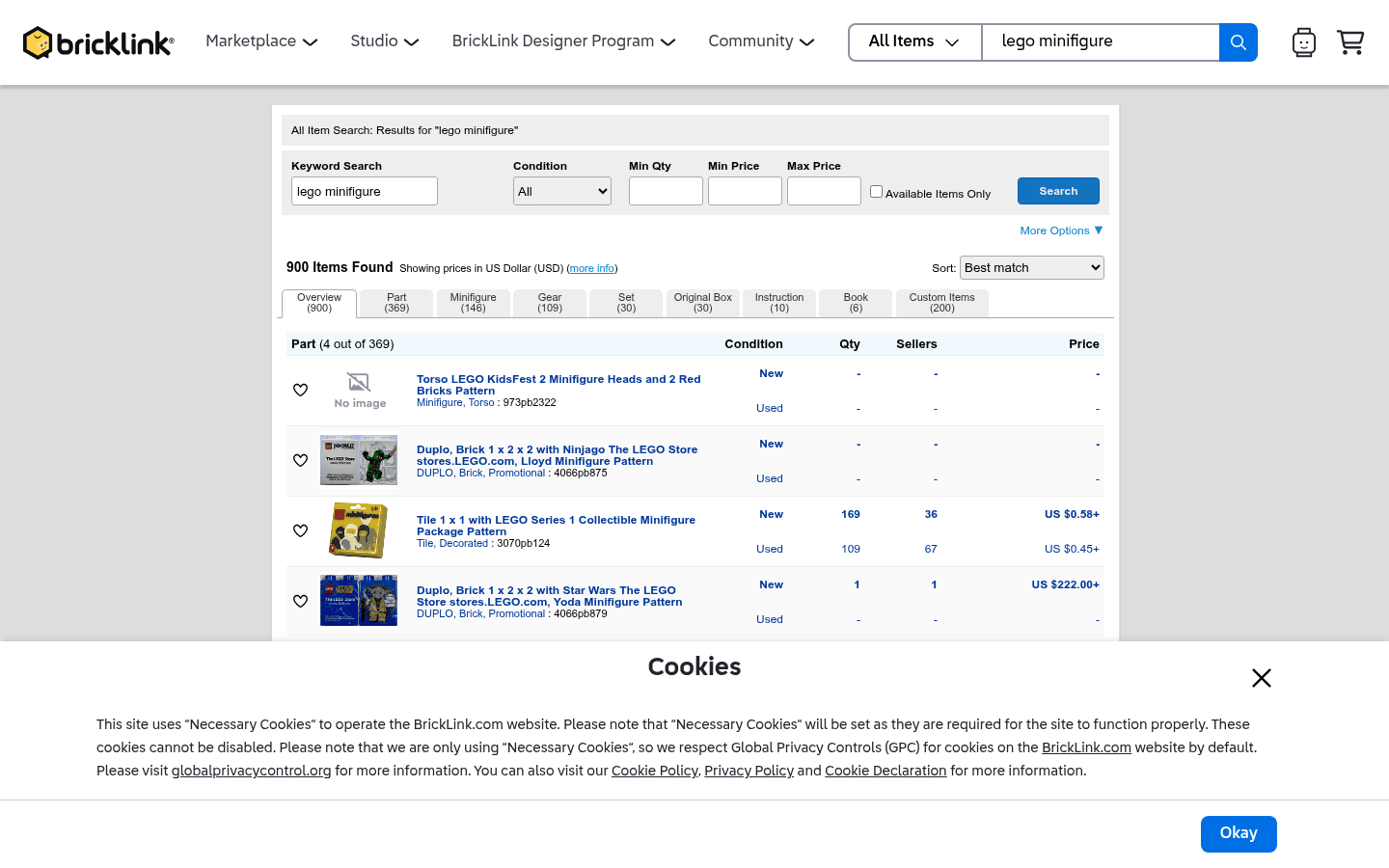
Before choosing where to sell, it helps to see the difference between a live-selling marketplace, a broad search marketplace, a LEGO-native catalog, and a social or local channel. These screenshots are visual references only. Platform interfaces, fees, and rules can change.
CTA(Identify%20and%20Price%20100%2B%20Figures%20With%20One%20Pic).png)

