

If you are trying to identify a LEGO minifigure torso print, the fastest path is to isolate the printed details on the chest and arms (collar style, zipper lines, logos, battle damage, arm prints) and cross reference them against a catalog like BrickLink, since the same character can have a dozen different torso versions worth wildly different amounts. I've sorted thousands of loose minifigures for resale, and torso print is almost always the detail that separates a $5 figure from a $90 one.
In my experience, new resellers look at the head and hair first, then stop. That is backwards. The torso carries most of the printed detail, and small print differences (a missing belt line, a different jacket zipper, an extra scratch or scar) often signal an entirely different, more valuable release. I started treating torso prints as the primary identifier years ago, and it changed how I sort bulk lots.
- Torso print, not head sculpt or hair piece, is usually the main driver of price differences between similar-looking minifigures.
- BrickLink part and minifigure codes (like sw0106 or col042) are built around documented print variants, so learning to read them speeds up identification a lot.
- Lighting, zoom, and comparing against a reference photo matter more than memorizing every variant by heart.
- Tools that scan and match prints automatically can save hours when you are sorting bulk lots or prepping a Whatnot show.
What Exactly Is a Torso Print on a LEGO Minifigure?
A torso print is the ink pattern applied to a minifigure's chest and arm pieces during manufacturing, covering things like shirts, armor, jackets, belts, logos, and battle damage. It is separate from the plastic color underneath and from the head or hair piece. Two figures can share the exact same yellow torso piece and look nearly identical at a glance, yet carry completely different print details once you look closely.
When I sort a bulk lot, I pull every torso off its legs mentally (not literally, unless I'm checking for leg prints too) and ask what story the print is telling. A clean jacket with no damage usually means an earlier or more common release. Scorch marks, blood spatter, or a ripped sleeve usually point to a specific movie or game scene, which collectors chase hard.
Why Does Torso Print Identification Matter So Much for Resale?
It matters because torso print is the single biggest price driver among otherwise similar minifigures, sometimes separating two versions of the same character by hundreds of dollars. Get the print wrong on a listing and you either underprice a valuable figure or overpromise on a common one, and buyers who collect by variant will catch the mistake fast.
A good example from brick'em's own catalog data: a Luke Skywalker in the Cloud City torso (tan shirt, no visible damage) tracks around $397 used and $491 new, while a plain reissue Luke Skywalker from a later set tracks closer to $65 used. Same character, same general look from three feet away, completely different torso print and a difference of over $300 in resale value. That gap is exactly why torso identification is not optional if you're pricing seriously.
How Do I Read a BrickLink Style Torso Print Code?
BrickLink style codes combine a theme prefix with a sequential number, and sometimes a letter suffix for a closely related print variant, so a code like sw0106a tells you it is Star Wars (sw), the 106th cataloged print family, and the "a" variant within that family. Learning this pattern lets you narrow a search fast instead of scrolling through hundreds of similar-looking photos.
In my experience, the suffix letters are where resellers lose money. sw0106 and sw0106a look almost identical in a thumbnail, but BrickLink treats them as distinct prints with separate price histories (I've seen the base version sell for roughly $98 to $136, while the "a" variant sits closer to $65 to $143 depending on condition and demand that week). Always open the full listing photo before you commit to a code, not just the thumbnail.
What Torso Print Details Should I Check First?
Check the collar and neckline, the center seam or zipper, any belt or buckle, logos or emblems, sleeve prints down to the hands, and any damage or wear effects, in that order, since those are the areas manufacturers change most often between releases. Skipping straight to color alone misses most of the real variation.
| Print Area | What to Look For | Why It Matters |
|---|---|---|
| Collar/neckline | Open collar, turtleneck, hood, zipper pull | Often the fastest way to separate two similar releases |
| Center torso | Belt, buckle, buttons, zipper line | Frequently changed between set reissues |
| Chest emblem/logo | Team logo, rank insignia, faction symbol | Can indicate a licensed tie in variant worth more |
| Arm prints | Sleeve stripes, wristbands, gloves, scars | Easy to miss in photos, big tell for rare prints |
| Wear/damage effects | Scorch marks, blood, rips, dirt | Usually scene specific and tied to a particular set |
| Back print | Backpack straps, capes, cargo details | Many listings only show the front, so flip the figure |
How Can I Visually Tell Two Similar Torso Prints Apart?
Put both figures (or a figure and a reference photo) side by side under even, bright light and compare one print zone at a time instead of scanning the whole torso at once. I personally photograph questionable pieces against a plain white background before I ever list them, because camera flash and shadows hide thin print lines that matter.
From what I've learned sorting thousands of loose figures for Whatnot shows, the eye naturally averages small differences away when you look at a whole figure. Breaking the comparison into zones (collar, then belt, then sleeves, then back) catches details a quick glance misses almost every time.
What Tools Actually Speed Up Torso Print Identification?
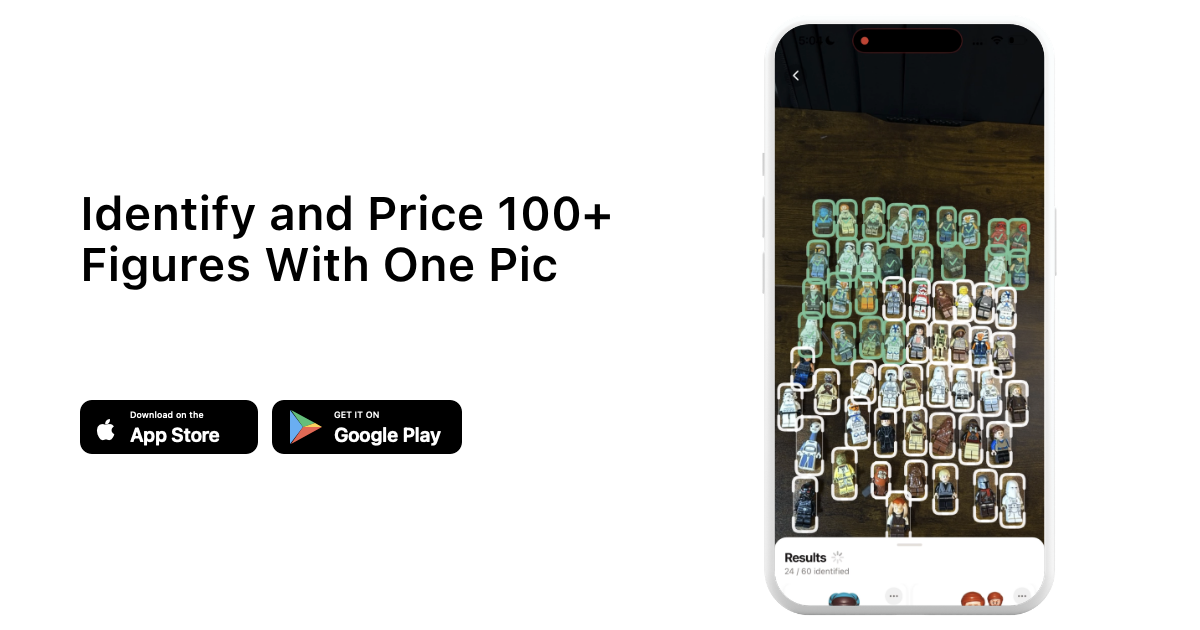
A reference catalog like BrickLink's print library is the backbone for manual identification, and pairing it with an app that can scan a photo and match it against known prints turns a slow process into a fast one, especially when you're processing dozens of figures at once. I'm biased since I built one, but this is exactly the gap I started brick'em to close.
I use brick'em's scanner to run bulk lots before a show. You snap photos, it flags likely matches including torso print variants, and you confirm the close calls by eye using the zone by zone method above. For anyone serious about reselling, pairing a scanner with a solid internal reference like our LEGO minifigure database cuts sorting time dramatically compared to searching manually figure by figure.
How Much Does Torso Print Affect a Minifigure's Value?
Torso print can swing a minifigure's value from a couple of dollars to thousands, because rarity and demand track the specific print, not just the character or theme. The clearest example in brick'em's catalog is Mr. Gold from Series 10, a gold plated print limited to 5,000 pieces worldwide, which tracks around $4,590 used and up to $8,299 new for the minifigure alone. Most torso print differences are far smaller than that, but the principle holds across the board.
Heads up: This is not financial or legal advice. We're sharing what we've learned from the LEGO reselling community.
Prices move with the market, so treat every number here as a reference point, not a quote. I recommend checking current sold listings before you price anything, since collector demand for a given print can shift in a matter of months. If you're trying to get a read on what a whole bin or lot might be worth once you've sorted it, our LEGO collection value calculator is a faster starting point than pricing every piece one at a time.
What Mistakes Do New Resellers Make With Torso Prints?
The most common mistake is assuming "close enough" on a print and listing a rare variant at common pricing, or the reverse, overpricing a common reissue because it looks identical to a rare one in a dark photo. Both mistakes cost money, and both are avoidable with a quick zone by zone check before you publish a listing.
- Trusting a thumbnail instead of opening the full size reference photo.
- Ignoring back prints and arm prints because the front looks like a match.
- Guessing a BrickLink code from memory instead of confirming the suffix letter.
- Skipping condition notes (fading, scratches) that also move price independent of the print itself.
- Not keeping a record of which print variant was identified, which makes relisting or bulk export harder later.
A seller I know in the Whatnot LEGO community told me she re-checks every "mystery bag" figure under a ring light before her show because a single misidentified torso print cost her a return and a bad review early on. That one habit paid for itself in her first month.
How Do I Build a Repeatable Torso Print Workflow for Bulk Lots?
A repeatable workflow means you sort once, in a consistent order, and record the result immediately instead of relying on memory. I sort by theme first, then by torso color, then I run each remaining figure through a zone by zone print check and log the match before moving to the next piece.
When I sort a new bulk buy, I set aside anything with a print I cannot confidently match and come back to it last, after the easy matches are logged and out of the way. That stops uncertain pieces from slowing down the whole lot. If you're new to reselling and want a structured way to start, working through a sample lot with a guided tool is the easiest way to learn the workflow hands on, which is part of why we built a 14-day free trial for exactly that first pass.
Frequently Asked Questions
What is the difference between a torso print and a torso piece?
A torso piece is the physical plastic part in a given color, while the torso print is the ink pattern applied on top of it. Two minifigures can share an identical plastic torso piece but carry completely different prints, which is why BrickLink catalogs prints separately from the base piece color.
Can two different LEGO sets use the exact same torso print?
Yes, this happens often when a character reappears across multiple sets without a wardrobe change. Manufacturers reuse molds and prints to control cost, so the same torso print can show up in two or three different set numbers released months or years apart, which usually keeps its value more stable.
Does a faded or scratched torso print change identification?
Fading and scratches can obscure fine print details, making a common print look rarer than it is or hiding the details you need to confirm a match. Always identify the print under good lighting before noting condition separately, since mixing the two steps leads to mistaken matches.
Is it worth learning torso prints by theme or all at once?
Learning by theme is faster and more practical for most resellers, since you likely buy and sell within one or two themes regularly. I started with Star Wars because that's what I sourced most often, then expanded once that theme felt automatic, rather than trying to memorize everything at once.
Where can I check current torso print values before listing?
Check recently sold listings on BrickLink or eBay for the exact print code, not just the character name, since pricing by name alone ignores the print differences that actually drive value. Cross referencing a couple of recent sales takes a few minutes and prevents a costly pricing mistake.