

If you're staring at a pile of loose LEGO torsos trying to figure out which print is which, here's the direct answer: identify a minifigure torso by cross-referencing its front print, back printing, arm color, and plastic shade against a reliable catalog like BrickLink, rather than guessing from memory or shape alone. Torso printing is usually the single biggest driver of which exact minifigure you're holding and what it's worth, so getting the identification right is what separates a profitable bulk lot from a pile of guesswork.
I've sorted thousands of loose figures for brick'em, and in my experience torsos are the part sellers misidentify most, more often than heads, legs, or even accessories. A torso can look almost identical to three or four other variants and still change the resale picture, so a fast, repeatable identification process matters more than people expect when they're starting out.
Key takeaways:
- Torso printing (front detail, back printing, arm color, and plastic shade) is usually a bigger identification signal than the head or legs alone.
- Reprints and near-identical variants are common across long-running themes, so a quick glance isn't enough.
- BrickLink's catalog is the most reliable reference for confirming an exact torso print, with LEGO.com useful for current official series.
- A repeatable workflow (photo, flip, compare, log) beats trying to memorize every variant that exists.
What Is LEGO Minifigure Torso Printing, and Why Does It Matter for Identification?
LEGO minifigure torso printing is the painted or tampo printed detail applied to the front, back, and sometimes the arms of a torso piece, showing things like a costume, armor plate, uniform logo, or character design. It matters for identification because small printing differences, not the torso shape itself, usually determine which exact minifigure you're looking at and how it fits into the broader catalog of variants.
Two torsos can share the exact same mold and still be completely different minifigures once you look at the print. A plain blue torso might be a basic City worker in one context and a background character from a licensed set in another. When I sort a bulk lot, I've learned to treat the mold as background noise and the print as the actual identifier. That single mindset shift is probably the biggest thing that speeds up identification for new sellers.
How Do I Identify a LEGO Torso by Its Printing Pattern?
You identify a torso by printing pattern through a short, repeatable sequence: photograph the front and back in good, even light, note the torso and arm plastic colors, compare the print against BrickLink's part catalog or a minifigure database, and confirm using secondary details like belt buckles or back printing that separate close variants from each other.
In my experience, the order matters. Starting with a clear photo first, before you start searching, keeps you from relying on memory while you flip through reference pages. I recommend checking our LEGO minifigure database alongside BrickLink when you're trying to narrow down a print you don't recognize, since cross-referencing two sources catches mistakes a single lookup would miss.
What Printing Details Should I Check First?
Check the front print first, then the back printing, then arm and hand color, then the exact plastic shade, since those four details together separate almost every close torso variant from its lookalikes. Skipping any one of them is the most common way sellers mix up two otherwise similar prints.
| Printing Detail | Why It Matters | What To Check |
|---|---|---|
| Front torso print | Primary identifier; costume, armor, or logo design | Pattern, color placement, print crispness |
| Back printing | Many variants only differ here; often skipped by sellers | Backpack, cape straps, plain back vs. detailed back |
| Arm and hand color | Same torso print sometimes comes with different arm colors | Arm color, hand color, any arm printing |
| Plastic shade | Subtle shade differences can indicate a different production run | Compare under consistent lighting, not under yellow bulbs |
| Print wear or fading | Affects condition grading, not identification itself | Cracking, rubbing on raised print areas |
What Are the Most Common Torso Printing Categories?
Most torso prints fall into four broad categories: licensed character costumes and armor, utility or uniform designs, decorative or display focused prints, and collectible mystery figure prints. Knowing which category you're dealing with helps you decide how much time is worth spending on exact identification before moving to the next item in a lot.
Licensed costume and armor prints, the kind you see across Star Wars and Marvel figures, tend to be the most identification-heavy because small armor or insignia changes separate valuable variants from common ones. In my view, Star Wars is one of the most beginner-friendly themes to learn torso printing on, because demand is broad and reference material is everywhere. Marvel gets less attention than it deserves for the same reason; it's a liquid market that a lot of sellers underrate.
Utility and uniform prints, common in City-style sets, are usually simpler to identify but often carry less resale weight on their own, since City figures as a category tend to move at low prices individually. Decorative or display prints, more common in Icons-style sets, are built to look good on a shelf, and collectible mystery prints, like Collectible Minifigures, are intentionally designed to be a surprise until opened, which is exactly why identification tools have become popular for that category.
How Do I Tell Original LEGO Printing From a Custom or Reprinted Torso?
You tell original printing from a custom or reprinted torso mainly by print crispness, edge alignment, and consistency with the era the torso design belongs to, since official tampo printing tends to be sharp and evenly applied while aftermarket reprints more often show soft edges, slight misalignment, or colors that don't quite match the original run.
I'll be honest, this is one area where I recommend leaning on community knowledge rather than trying to become an expert overnight. A seller I know who's been doing this far longer than me still double-checks unusual prints against BrickLink listings and seller feedback before assuming a torso is original. If a print looks slightly off, or the price seems too good relative to similar listings, that's worth treating as a flag to research further rather than a reason to walk away or buy without checking.
Which Tools Actually Speed Up Torso Identification?
The tools that actually speed up torso identification are a solid part catalog like BrickLink, LEGO.com's official pages for current Collectible Minifigure series, and purpose-built scanning tools that match a photo against a known database instead of making you search manually. The right combination depends on how much volume you're sorting.
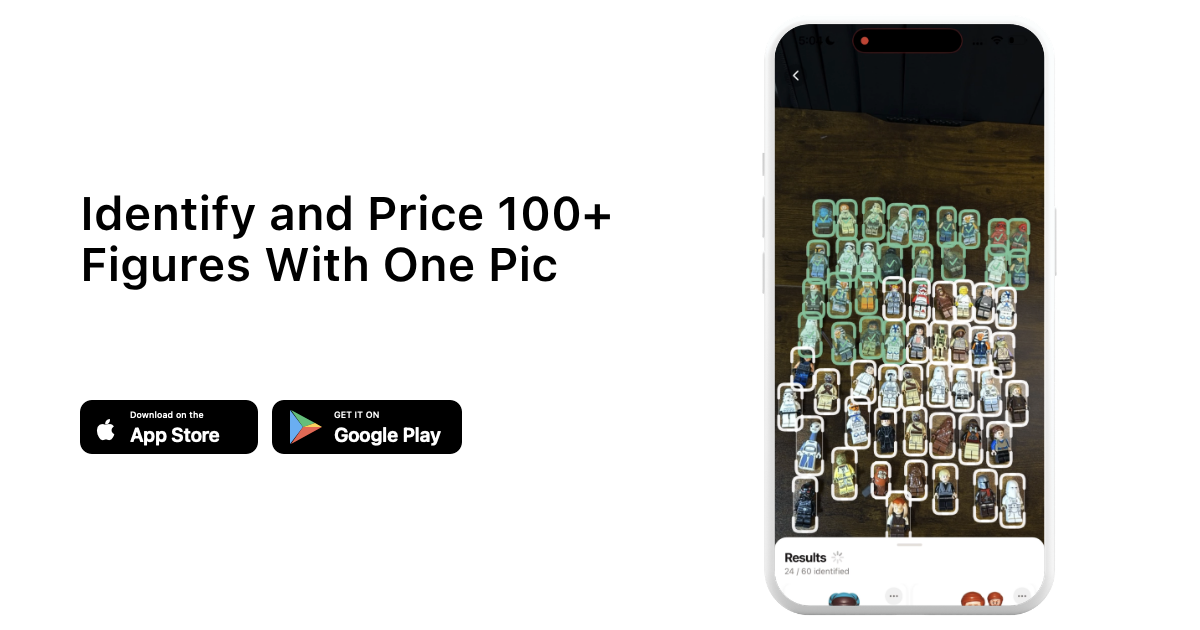
I use BrickLink as the backbone for confirming an exact print once I have a few candidates narrowed down, and LEGO.com when I need to check what's actually in a current, still-in-production series. For bulk sorting, this is exactly the kind of repetitive matching work brick'em's scanning tools were built for, since photographing a tray of loose torsos and getting back likely matches is faster than manual lookups once you're past a handful of figures. You can start a 14-day free trial of brick'em to try that workflow on your own lot. If you're working with incomplete sets and need to track down a specific missing torso or part, our Chrome extension workflow for matching stores to the parts you need is worth a look too.
How Does Torso Printing Affect Resale Value?
Torso printing affects resale value because buyers are paying for the specific character or variant shown in the print, not the torso piece itself, so an exact print match can be worth meaningfully more or less than a similar-looking torso depending on rarity and demand for that variant. Prices move fast and vary by condition, so I'd always tell sellers to verify current sold listings rather than trust a number from memory.
Heads up: This is not financial or legal advice. We're sharing what we've learned from the LEGO reselling community.
From what I've seen, where you sell matters almost as much as what you're holding. eBay puts a listing in front of a huge audience, but promoted listings can push your effective take rate close to 25% once you add them on top of standard fees, which eats into thin margins on common prints. Whatnot works differently. I've seen sellers spend around $20 per show on boosted promotion early in a stream to build momentum, and because it's a newer, growth-focused platform, sellers often keep more of each sale than they would on more established marketplaces, at least for now.
I'll share my own numbers here because I think it's useful context, not because every seller should expect the same results. I personally sold over $100,000 worth of LEGO through eBay over time, and separately built a Whatnot following past 3,000 followers with more than $30,000 in sales within about five months, without ever showing my face on camera. Neither of those outcomes happened because of torso identification alone, but knowing exactly what you're holding is the foundation every one of those sales was built on.
What's a Simple Workflow for Sorting a Bulk Lot by Torso Print?
A simple bulk-lot workflow is to sort by color first, photograph each distinct torso print once, identify that print, then apply the same identification to every physical match in the pile instead of re-identifying duplicates one at a time. This turns a huge pile into a short list of unique prints fairly quickly.
- Sort the lot by torso plastic color first; it's the fastest initial split.
- Within each color group, separate torsos by front print pattern before touching back printing.
- Photograph one example of each distinct print, front and back.
- Identify that single example against BrickLink or a minifigure database.
- Apply the confirmed identification to every matching duplicate in the pile.
- Log the count of each confirmed print before deciding where to list it.
When I sort a lot this way, I run the numbers through our haul calculator once everything is identified, since knowing the mix of common versus harder-to-find prints changes how I'd price and where I'd list a given bundle.
What Mistakes Do Resellers Make When Identifying Torso Prints?
The most common mistakes are identifying a minifigure by its head or legs instead of the torso print, skipping back printing entirely, assuming any reprint automatically means low value, and not logging variants as they're confirmed, which forces the same identification work to be repeated later.
I've made every one of these mistakes myself early on. I learned the hard way that a confident guess based on a head alone is worse than a slower, verified identification, because it's easy to list the wrong minifigure name and have to fix it after a buyer flags it. I noticed my error rate dropped substantially once I made back printing a mandatory step instead of an optional one, and that's the single change I'd recommend to anyone just starting to sort loose figures seriously.
Frequently Asked Questions
What's the fastest way to identify a torso without a reference book?
The fastest way is a clear front and back photo compared directly against BrickLink's searchable part catalog or a minifigure database like ours, since both let you filter by color and rough design instead of scrolling through unrelated results. A physical reference book works too, but it's slower to search and harder to keep current.
Do torso printing variants always change the value?
No, not always. Some variants are nearly identical in demand and price, while others, especially ones tied to a specific character appearance or a limited print run, can carry a real difference. The only reliable way to know is checking current sold listings rather than assuming based on how rare a variant looks.
Can two different minifigures share the same torso print?
Yes. LEGO frequently reuses the same torso print across multiple minifigures, sets, or even years, especially for background characters and uniform designs. That's exactly why torso printing alone doesn't always fully identify a figure. Pairing it with the head and leg combination gives you a more complete answer.
Is back printing as important as front printing?
In many cases, yes. A lot of close variants are only distinguishable by their back printing, like a backpack strap or a plain back versus a detailed one. Skipping the back is one of the most common reasons sellers misidentify an otherwise correctly spotted front print.
How do I identify torsos in bulk without checking each one individually?
Sort by color and print pattern first so identical torsos end up grouped together, then identify one representative from each group instead of every single piece. Once that one example is confirmed, the identification applies to every physical duplicate in that group, which is far faster than starting from scratch each time.