

If you're trying to figure out which BrickLink seller tools are actually worth your time, here's the direct answer: you need four categories covered, inventory tracking, pricing research, listing or catalog management, and a way to export everything into BrickLink's format without retyping part numbers by hand. Most new sellers overbuild on one category, usually a spreadsheet, and skip the other three, which is exactly where the hours disappear.
I've spent a lot of time building and using brick'em's own scanning and inventory workflow, and I've watched plenty of resellers try to run a BrickLink store off memory and a notebook. In my experience, the sellers who scale past a few hundred listings are the ones who treat their tool stack as seriously as their sourcing.
- You need inventory software, pricing tools, listing help, and export capability, not just a spreadsheet.
- BrickLink has run as the pricing backbone of the LEGO secondary market since it launched back in 2000.
- Bulk minifigure scanning can turn a multi hour cataloging job into something you finish in one sitting.
- Pulling recent sold data before you list, instead of copying the lowest current ask, is the single biggest lever on sell through.
What Software Do You Actually Need to Sell on BrickLink?
You need four things working together to run a real BrickLink store: inventory software to track what you actually own, pricing tools to know what it's worth today, catalog or listing software to get it posted correctly, and export tools to push everything into BrickLink's own format. Skip any one of these and you end up doing that step by hand instead.
When I started selling, I tried to run everything off a spreadsheet and my memory of what I'd priced things at the month before. It worked fine for maybe fifty items. Past that, I was constantly re checking parts I'd already identified and underpricing things I'd forgotten I already had in stock.
I recommend thinking about your BrickLink tool stack the way you'd think about a small retail operation: receiving, which is inventory, merchandising, which is pricing and listing, and fulfillment, which is export and order management. BrickLink gives you some of this natively, but most serious sellers layer additional software on top, especially for identification and bulk inventory work. A seller I know who scaled into store acquisitions told me larger sellers sometimes pay somewhere in the 30 to 50 percent range of market value to buy out an entire smaller store's inventory in one shot, and none of that works without solid inventory software underneath it.
Inventory Software: Turning a Pile of Bricks Into a Trackable Catalog
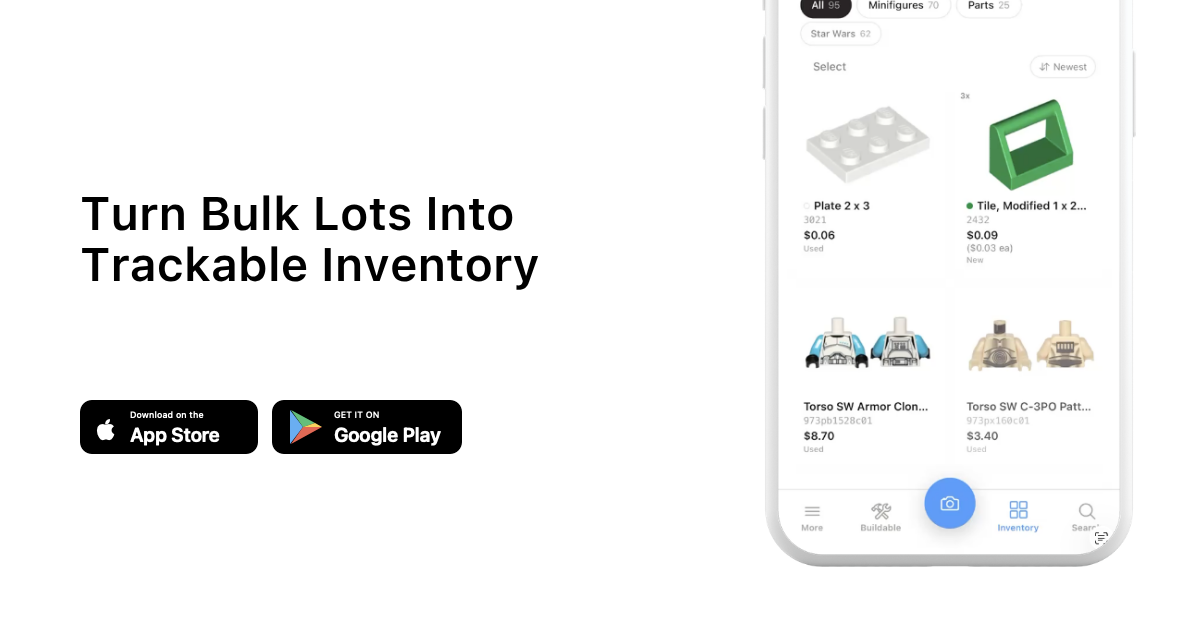
Inventory software matters because BrickLink sellers live and die by accurate part and minifigure counts, and manually counting a bulk lot is the single biggest time sink in the whole business. A good inventory tool should let you scan or identify pieces quickly, tag condition, and push quantities straight into your listings instead of retyping them by hand.
In my experience, this is where bulk minifigure scanning changes the math completely. A lot I'd have spent a whole evening sorting by eye, I can now get through much faster because the identification step is automated instead of me squinting at torso prints under a lamp. If you're building out a catalog, our minifigure database is a good place to double check an identification before you commit to a listing.
I also run a prospective haul through a calculator before I buy it, not just after. Checking a bulk lot against our haul calculator tells me roughly what I'm looking at in total resale value before I hand over cash, and that's saved me from a few lots that looked better in the photos than they turned out to be in person.
How Do You Price Competitively on BrickLink Without Guessing?
You price competitively by checking recent sold listings for your exact item and condition before you post, not by copying the lowest current asking price, which is often a price nobody has actually paid yet. BrickLink's own price guide shows both current listings and recent sold history, and the sold tab is the one that actually matters.
BrickLink earned its reputation as something close to the Wall Street of LEGO because its pricing data runs deep and historical in a way most marketplaces don't bother with. I personally cross check against BrickEconomy for set and theme level trends when I'm deciding whether something is worth listing piece by piece or parting out as a bulk lot instead.
If you're sitting on a bigger collection and trying to decide what to do with it before you even start listing, our collection value calculator gives you a fast ballpark, and the investment calculator is useful if you're holding sealed sets or high demand minifigures longer term instead of flipping them right away.
Listing and Catalog Tools That Save You Hours Every Week
Listing and catalog tools save you hours by letting you batch create entries instead of building each one from scratch, matching against BrickLink's existing catalog so you're not creating duplicate part entries along the way. The best tools in this category pull part numbers, colors, and categories automatically instead of making you search BrickLink's catalog by hand for every single piece.
I noticed a real difference once I stopped manually searching BrickLink's catalog for every part and started working from pre identified inventory instead. Catalog accuracy also protects you from buyer disputes, since when an item is labeled with the wrong color or part number, you're the one fielding the message asking why it isn't what they ordered.
For collectible minifigures specifically, packaged Collectible Minifigures sell with a sense of mystery that boxed sets sold through LEGO.com don't carry, but once a figure is loose and identified, accurate listing data is what gets it found by the right buyer searching BrickLink for that exact piece.
How Do You Get Your Inventory Into BrickLink Format?
You get your inventory into BrickLink format by exporting it as a file BrickLink's upload tools accept, matching their part number and color ID structure, rather than manually re entering every item inside BrickLink's own listing form one at a time. This is the step most sellers either skip entirely or spend way too long on.
A seller I know who runs a mid size BrickLink store told me the export step used to take him longer than sourcing the inventory in the first place, because he was manually matching every part against BrickLink's catalog IDs one at a time. That's exactly the gap brick'em's export workflow is built to close, since it's designed to move your scanned and sorted inventory toward a BrickLink ready format instead of leaving you to do it by hand.
If you haven't set up your inventory system yet, it's worth doing before your next big lot rather than after. You can sign up for brick'em and start building a catalog that's already structured for export instead of retrofitting one later.
A Simple BrickLink Seller Tool Checklist
Here's a quick checklist to run through before deciding your tool stack is actually done, not just started. Each row covers one job your tools need to handle, whether you're using BrickLink's native features or outside software to get there.
| Need | What it should do | Why it matters |
|---|---|---|
| Identification | Scan or recognize minifigures and parts quickly | Cuts sorting time on bulk lots dramatically |
| Inventory tracking | Keep accurate quantities and condition notes | Prevents overselling and relisting errors |
| Pricing research | Pull sold history, not just current asks | Avoids pricing against phantom listings |
| Listing and catalog match | Match existing BrickLink catalog entries | Avoids duplicate entries and buyer disputes |
| Export | Push inventory into BrickLink ready format | Saves re entering items by hand |
The Biggest Mistakes I See New BrickLink Sellers Make With Their Tools
The biggest mistake is treating software as optional until the inventory pile gets painful, which is backwards, because the pile gets painful precisely because there was no system in place from the first hundred items onward. The second biggest mistake is pricing from memory instead of checking sold data every single time.
I've seen sellers price a batch of common minifigures a dollar or two under what they'd actually sell for just because that's what they remembered from six months earlier. On high volume, that adds up fast. I'd also say don't skip condition tracking. A part marked as new that shows up worn or yellowed is a near guaranteed negative review, and that hurts you more on BrickLink's reputation driven marketplace than it might on eBay or Whatnot.
Is It Worth Paying for BrickLink Seller Software?
It's worth paying for software once your time has real value, which for most sellers lands somewhere between a few dozen and a few hundred active listings, because that's the point where manual identification and entry starts costing you more in hours than the software costs in dollars. Below that volume, a careful spreadsheet can still work just fine.
In my view, the math changes fastest for sellers who are also buying bulk lots regularly, since every new lot resets the clock on sorting and identification. I've sold over $100,000 worth of LEGO through eBay over the years, and compared to that channel, BrickLink's own selling fees are historically much lower, which matters when you're deciding where a given item belongs in your overall channel mix alongside eBay, Whatnot, Mercari, or Facebook Marketplace.
Heads up: This is not financial or legal advice. We're sharing what we've learned from the LEGO reselling community.
If you want to see how your current workflow stacks up before committing to a paid tool, browsing our blog for other reseller workflow breakdowns is a decent starting point, and it won't cost you anything to look around first.
Frequently Asked Questions
Do I need special software to sell on BrickLink, or can I just use the site itself?
You can list directly on BrickLink without extra software, and plenty of small sellers do exactly that. But once you're moving past a handful of listings a week, manual entry and pricing research start eating hours you could spend sourcing more inventory or packing orders instead.
What's the difference between BrickLink and BrickEconomy for pricing research?
BrickLink shows actual current and sold listings from real sellers, which reflects what buyers are paying right now. BrickEconomy leans more toward set and theme level trends over time. I personally use BrickLink for pricing a specific item and BrickEconomy when I'm making a bigger picture call.
Can I use the same inventory tool for BrickLink, eBay, and Whatnot?
Yes, and in my experience you should. Tracking inventory once and exporting it toward whichever platform fits a given item best avoids double counting the same stock across BrickLink, eBay, Whatnot, Mercari, or Facebook Marketplace listings you might be running at the same time.
How long does it actually take to set up a BrickLink seller tool stack?
For a small store, I'd budget a weekend to get inventory and pricing workflows running comfortably. Bigger bulk lot operations take longer, mainly because of the backlog of existing inventory waiting to be sorted, not because the tools themselves are complicated to learn.
What Do These LEGO Selling Platforms Look Like?
Before choosing where to sell, it helps to see the difference between a live-selling marketplace, a broad search marketplace, a LEGO-native catalog, and a social or local channel. These screenshots are visual references only. Platform interfaces, fees, and rules can change.