

The best LEGO reselling tools in 2026 are the ones that fix a specific bottleneck in your workflow, not the ones with the longest feature list. If you're sorting bulk lots, you need fast identification. If you're listing across BrickLink, eBay, and Whatnot at the same time, you need software that keeps your numbers honest instead of three different spreadsheets that all disagree with each other. I've built my own LEGO business around this stuff, and in my experience the right tool stack almost always comes down to three questions: how fast can you identify what you actually have, how confident are you in the price you're about to list it at, and how much manual re-entry are you doing every time you move inventory from one platform to another.
This guide walks through the tool categories that matter for LEGO resellers right now: scanning and identification, pricing, inventory tracking, and listing or cross-posting. I'm not going to pretend every tool fits every seller. A part-out specialist and a Whatnot live-seller need different things, and I'll call that out as we go.
- Scanning and identification tools save the most time on bulk minifigure lots.
- Pricing accuracy matters more than any single feature, since a wrong price costs you money on every sale.
- Inventory software should reduce re-entry across BrickLink, eBay, and Whatnot, not add another system to maintain.
- The right stack depends on your volume and which platforms you actually sell on.
What Tools Do LEGO Resellers Actually Need?
Most LEGO resellers need four categories of tools: identification, pricing, inventory, and listing. You don't need all four on day one, but as your volume grows, skipping any of them starts costing you real time and real money. I started with nothing but a notebook and BrickLink's price guide, and that worked fine until I was buying multiple bulk lots a week and couldn't keep track of what I already had.
Identification tools answer "what is this and what is it worth." Pricing tools answer "what should I actually charge." Inventory tools answer "do I already have five of these." Listing tools answer "how do I get this in front of buyers on more than one platform without retyping everything." Once you can answer all four quickly, your time per item drops a lot.
How Much Time Does Minifigure Scanning Really Save?
Scanning tools save the most time when you're processing bulk minifigure lots, because manual identification of look-alike figures is the single slowest part of sorting. In my experience, a seller going piece by piece through a 200-figure lot with a reference book is going to spend hours on something a scanner can get through in minutes. That time adds up fast when bulk lots are the core of your business.
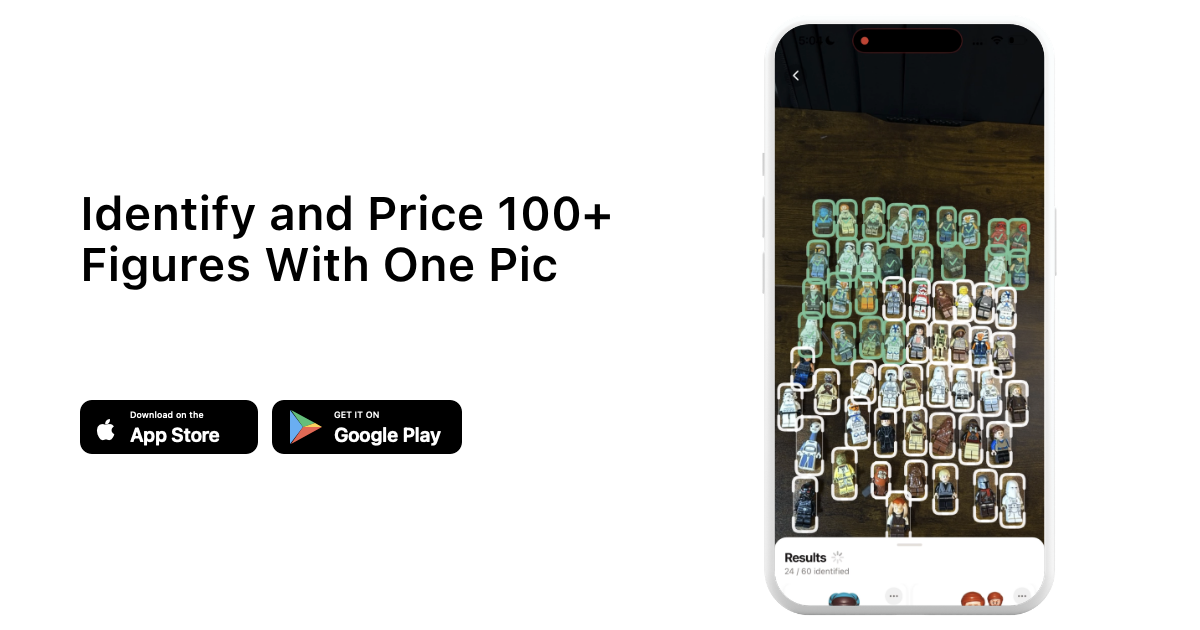
I use brick'em's scanner for this specifically because it was built around the bulk sorting problem rather than one-at-a-time lookups. You take a photo of a batch of figures, and it identifies them and pulls pricing in one pass instead of you flipping through a minifigure database figure by figure. A seller I know who does mostly Facebook Marketplace lots told me this step alone cut his sorting time by more than half once he started batching photos instead of handling each figure individually.
Which Tools Keep LEGO Pricing Accuracy Honest?
The tools that keep LEGO pricing honest are the ones pulling from BrickLink-integrated data rather than guesswork, because BrickLink functions as the closest thing the hobby has to a real price index, almost like the Wall Street of LEGO. I've seen sellers price straight off memory or off one old sale and either underprice a figure that's worth three times what they charged, or overprice something that's been sitting on BrickLink at the same price for two years.
I've personally sold more than $100,000 worth of LEGO through eBay over the years, and the biggest lesson from that volume is that pricing tools only help if the underlying data is current. eBay also charges promoted listings fees that can push your total take rate close to 25% of the sale on competitive items, so a pricing tool that ignores fees can make a listing look more profitable than it actually is. BrickEconomy is useful too, especially for tracking set appreciation over time rather than figure-by-figure pricing. If you want a quick gut check on whether a piece of your collection is worth more than you think, a collection value calculator is a faster first pass than manually pricing every item before you decide what's worth your time to list individually versus bulk.
What Does Good LEGO Inventory Software Look Like?
Good LEGO inventory software tells you what you own, where it is, and what you paid for it, without requiring you to update three separate systems every time you make a sale. A lot of sellers I know start on spreadsheets, and that's genuinely fine at low volume. The problem shows up once you're selling across BrickLink, eBay, and Whatnot simultaneously and a sale on one platform doesn't automatically update your count anywhere else.
When I started treating inventory as a system instead of a running tally, I stopped double-listing items I'd already sold, which had been quietly costing me cancelled orders and bad buyer feedback. If you're running an investment-style collection alongside active resale inventory, a LEGO investment calculator can help you separate what you're holding long-term from what's actually meant to turn over quickly.
How Do You Handle Listing Across Multiple Platforms?
Handling listings across multiple platforms comes down to picking one source of truth for your inventory and pricing, then adapting the listing copy and photos to fit each platform's audience, rather than writing everything from scratch four times. eBay buyers respond to clear condition notes and competitive pricing. Whatnot audiences respond to personality and show presence. BrickLink buyers care most about accurate part and condition grading.
I noticed early on that trying to write identical listings for eBay and Whatnot just didn't convert as well on either platform, because the buyer intent is different. My first Whatnot show had about 10 people watching and did just over $500 in sales, and within about 5 months I'd grown past 3,000 followers and crossed $30,000 in total sales, without ever showing my face on camera. None of that happened because of a tool. It happened because I showed up consistently, and the tools just kept my inventory numbers from falling apart while I did. Mercari can work as an overflow channel for sets and lots that aren't selling fast enough elsewhere. When I sell big bulk lots, I run a quick haul calculator pass first so I know roughly what the whole lot is worth before I decide how much time to spend listing it piece by piece versus selling it as one bundle.
Reseller Tool Stack Checklist by Business Stage
The tools you need change as your volume grows, and trying to run an enterprise-level stack at hobby volume usually just adds overhead. Here's roughly how I'd map tools to stage based on what I've used and seen other sellers rely on.
| Stage | Identification | Pricing | Inventory | Primary Platforms |
|---|---|---|---|---|
| Hobby / side hustle | Manual lookup or basic scanner app | BrickLink price guide checks | Simple spreadsheet | Facebook Marketplace, local sales |
| Growing reseller | Bulk minifigure scanner | BrickLink-integrated pricing tool | Dedicated inventory app | eBay, BrickLink |
| Full-time / high volume | Bulk scanner with batch photo processing | Pricing tool plus BrickEconomy for appreciation tracking | Inventory system synced across platforms | Whatnot, eBay, BrickLink combined |
Is It Worth Paying for LEGO Reselling Software?
It's worth paying for LEGO reselling software once the time it saves you is worth more than the subscription cost, which for most active resellers happens faster than people expect. If you're spending three extra hours a week manually identifying and pricing figures, and your time is worth even a modest hourly rate, a paid tool pays for itself within the first few sales most months.
I recommend starting with free tiers or trial periods on any tool before committing, and tracking your actual time savings for two or three weeks rather than guessing. That said, software is a cost input like anything else in a resale business, and how it affects your margins depends on your volume and pricing.
Heads up: This is not financial or legal advice. We're sharing what we've learned from the LEGO reselling community.
How Should You Choose a Stack for Your Business Size?
Choosing a stack for your business size means matching tools to your actual volume and platform mix instead of buying everything upfront. A seller doing a handful of sales a month on Facebook Marketplace doesn't need the same stack as someone running weekly Whatnot shows and also selling parts on BrickLink. In my view, the biggest mistake new resellers make is underinvesting in identification and pricing tools while overspending on things like fancy packaging before they've proven the sales volume to justify it.
If you're just getting started and want to try a stack built specifically around bulk minifigure identification and pricing, you can sign up for brick'em and see how it fits into your existing workflow before you commit to anything bigger.
Frequently Asked Questions
Do I need special software to resell LEGO minifigures?
You don't strictly need software to start, but in my experience it becomes necessary once you're handling bulk lots regularly. Manual identification and pricing works fine at low volume, but a scanner and pricing tool save hours once you're sorting more than a handful of figures per week.
What's the difference between LEGO pricing tools and inventory tools?
Pricing tools tell you what an item is worth right now based on marketplace data, usually pulled from BrickLink. Inventory tools track what you own, where it is, and what you paid for it. Most serious resellers eventually need both, since pricing without inventory tracking leads to double-listing and lost items.
Can I use the same listing across BrickLink, eBay, and Whatnot?
You can reuse the core details like condition and part completeness, but I don't recommend copying identical listing copy across platforms. eBay and BrickLink buyers respond to detailed condition grading, while Whatnot is driven more by live show presence and personality, so the framing should shift even if the underlying facts stay the same.
Are free LEGO pricing tools accurate enough?
Free tools can work for casual selling, but accuracy depends heavily on whether they're pulling live BrickLink-integrated data or relying on outdated averages. I'd test any free tool against a few known BrickLink prices before trusting it for consistent business pricing.