


The BrickLink Price Guide is the single best tool for figuring out what a LEGO part, minifigure, or set is actually worth right now, and reading it correctly is the difference between pricing like a hobbyist and pricing like a reseller. It splits every item into New and Used condition, then further splits each into Current Items for Sale (what sellers are asking today) and Last 6 Months Sold (what buyers actually paid). Those four numbers rarely match, and most pricing mistakes come from mixing them up.
I've spent years buying and reselling LEGO, and in my experience the Price Guide is the one screen on BrickLink that separates sellers who make real margin from sellers who guess. This guide walks through exactly how to read it, what each number means, and how to avoid the mistakes that cost new sellers money.
- New and Used prices are tracked completely separately, and mixing them up is the most common pricing mistake.
- The Last 6 Months Sold average reflects real completed sales, while Current Items for Sale only shows asking prices.
- Lot size, quantity, and condition notes all shift where your item should land inside the price range.
- brick'em pulls this same pricing data automatically when you scan a minifigure, so you don't have to look it up by hand.
What Is the BrickLink Price Guide?
The BrickLink Price Guide is a built-in data panel on every catalog page that breaks pricing into New and Used condition, then splits each into Current Items for Sale and Last 6 Months Sold. It shows the minimum, average, quantity-weighted average, and maximum price, along with how many units or lots moved in that window.
When I sort through a new haul, this is the very first screen I check before I write a single listing. It takes about ten seconds to pull up and it tells you more about real demand than browsing listings ever will. If you're not sure exactly which minifigure or print variant you're holding, it helps to confirm the exact figure first using our LEGO minifigure database, since BrickLink prices each variant separately and a small print difference can change the number a lot.
| Price Guide Section | What It Shows | Best Use |
|---|---|---|
| New, Current Items for Sale | Asking prices on live new-condition listings | Gauge competition and inventory levels |
| New, Last 6 Months Sold | Actual completed sales in new condition | Set your new-condition price |
| Used, Current Items for Sale | Asking prices on live used-condition listings | Gauge competition and inventory levels |
| Used, Last 6 Months Sold | Actual completed sales in used condition | Set your used-condition price |
How Do New and Used Prices Differ on BrickLink?
New means factory-sealed or never-assembled condition, and Used covers anything opened, built, or missing original packaging, and BrickLink treats them as two separate markets with their own averages. A set or minifigure in New condition commonly sells for noticeably more than the same item Used, so pulling up the wrong tab is one of the fastest ways to misprice an item.
In my experience, this is where a lot of new sellers lose money without realizing it. They glance at one number, assume it covers both conditions, and list accordingly. I recommend always checking which tab you're looking at before you write down a price, every single time, even once you think you have it memorized.
What Is the 6-Month Sold Average and Why Does It Matter?
The Last 6 Months Sold average is a rolling window of completed transactions, which makes it the closest thing BrickLink has to real market value. The average on the Current Items for Sale tab is just what unsold listings are asking right now, and it tends to skew high because overpriced lots sit unsold the longest while fairly priced ones sell and disappear from that tab.
I've seen sellers price an entire lot off the For Sale average and then wonder why nothing moves for months. The Sold tab is smaller and sometimes thinner on data for rare items, but it tells you what buyers were actually willing to pay, which is the number that matters.
Should You Trust the Sold Data or the For Sale Data?
Trust the Sold data to set your actual price, and use the For Sale data only to judge how much competing inventory is already listed. If the Sold average and the For Sale average are far apart, that gap usually means the market is either shifting quickly or full of unrealistic asking prices.
A seller I know rebuilt pricing for her entire store around this one rule and said her average sell time dropped noticeably within a month. It is a simple change, but most people never make it because the For Sale number is the first one they see.
Heads up: This is not financial or legal advice. We're sharing what we've learned from the LEGO reselling community.
How Does Lot Size Change the Price Guide Numbers?
Lot size matters because the Price Guide averages blend single units sold alongside large bulk lots, which can pull the average price per piece down even though per-unit value hasn't actually changed. A single rare minifigure sold alone will often price differently than the same minifigure sold inside a large bulk lot.
When I'm deciding whether a bulk lot is worth buying, I don't price every single item against the Price Guide one at a time. I run the whole lot through our haul calculator first to get a realistic total value, then I use the Price Guide to spot-check the handful of items that actually matter most.
A Quick Checklist for Pricing With the BrickLink Price Guide
Before you list anything, run through this short checklist so you don't accidentally price off the wrong number or the wrong condition tab. It takes less than a minute once you're used to the layout, and it catches most of the errors new sellers make in their first few months.
- Confirm the exact part, print, or minifigure variant before pulling up pricing.
- Check New vs Used and make sure you're reading the matching condition tab.
- Base your price primarily on the Last 6 Months Sold average, not the For Sale average.
- Look at quantity sold. A thin sample size means the average is less reliable.
- Adjust down for incomplete sets, missing boxes, or heavy wear.
- Recheck pricing every few months since BrickLink data shifts with the market.
brick'em pulls this exact pricing data automatically the moment you scan a minifigure, so if you'd rather skip the manual lookup entirely, you can sign up for brick'em and let the app handle the checklist for you.
What Mistakes Do New Sellers Make With the Price Guide?
The most common mistake is pricing straight off the average without checking quantity sold or condition, which leads to listings that are either stuck for months or sold for far less than they should have gone for. The second most common mistake is ignoring lot size effects and pricing bulk items as if they were single rare pieces.
I started out making both of these mistakes myself. I once listed a batch of figures based on a For Sale average that turned out to be almost entirely optimistic asking prices with nothing actually selling at that level. I learned to check the Sold tab first after that, every time, no exceptions.
How Does BrickLink Pricing Compare to eBay, Whatnot, and Facebook Marketplace?
BrickLink is the most reliable source for part-level and minifigure-level pricing because it is built specifically around LEGO, while eBay, Whatnot, and Facebook Marketplace are broader marketplaces where prices swing more with demand, promotion, and audience size. I think of BrickLink as the reference price and the other platforms as where I actually find buyers willing to pay above it.
BrickLink launched back in 2000 and LEGO Group acquired it in 2019, and in my view that long history is exactly why its pricing data holds up as a benchmark, people call it the Wall Street of LEGO for a reason. eBay can move serious volume, but once promoted listings get added in, I've seen the effective take rate creep close to 25 percent of the sale on some of my own listings. Whatnot works differently again. My first show had about 10 viewers and did a bit over 500 dollars in sales, and within roughly 5 months I'd grown to just over 3,000 followers and about 30,000 dollars in total sales, numbers that had nothing to do with BrickLink pricing and everything to do with building an audience. If you're trying to figure out what a whole collection is worth across all of these channels at once, our LEGO collection value calculator pulls Price Guide style data across your full inventory instead of making you check each item one by one.
Frequently Asked Questions
Is the BrickLink Price Guide accurate?
It's generally reliable for popular parts and minifigures with a healthy sales history, since the Last 6 Months Sold average reflects real completed transactions. For rare or low-volume items, the sample size can be small, so treat the average as a strong starting point rather than a guaranteed sale price.
Why are BrickLink prices different from eBay prices?
BrickLink pricing reflects a LEGO-specific marketplace built around parts and minifigures, while eBay pricing reflects a much broader audience, promoted listing fees, and auction-style demand swings. The two markets overlap but rarely match exactly, which is why I check both before setting a final price on anything valuable.
Should I price based on New or Used condition?
Price based on whichever condition your actual item is in, checked against the matching tab, since New and Used are tracked as separate markets with separate averages. Mixing the two tabs up is one of the most common and most costly mistakes new sellers make on BrickLink.
How often should I recheck Price Guide data?
I recommend rechecking every few months for anything you hold inventory on, since BrickLink's Sold average shifts as the market moves. For high-value or fast-moving items, checking before every relisting is worth the extra minute it takes.
What Do These LEGO Selling Platforms Look Like?
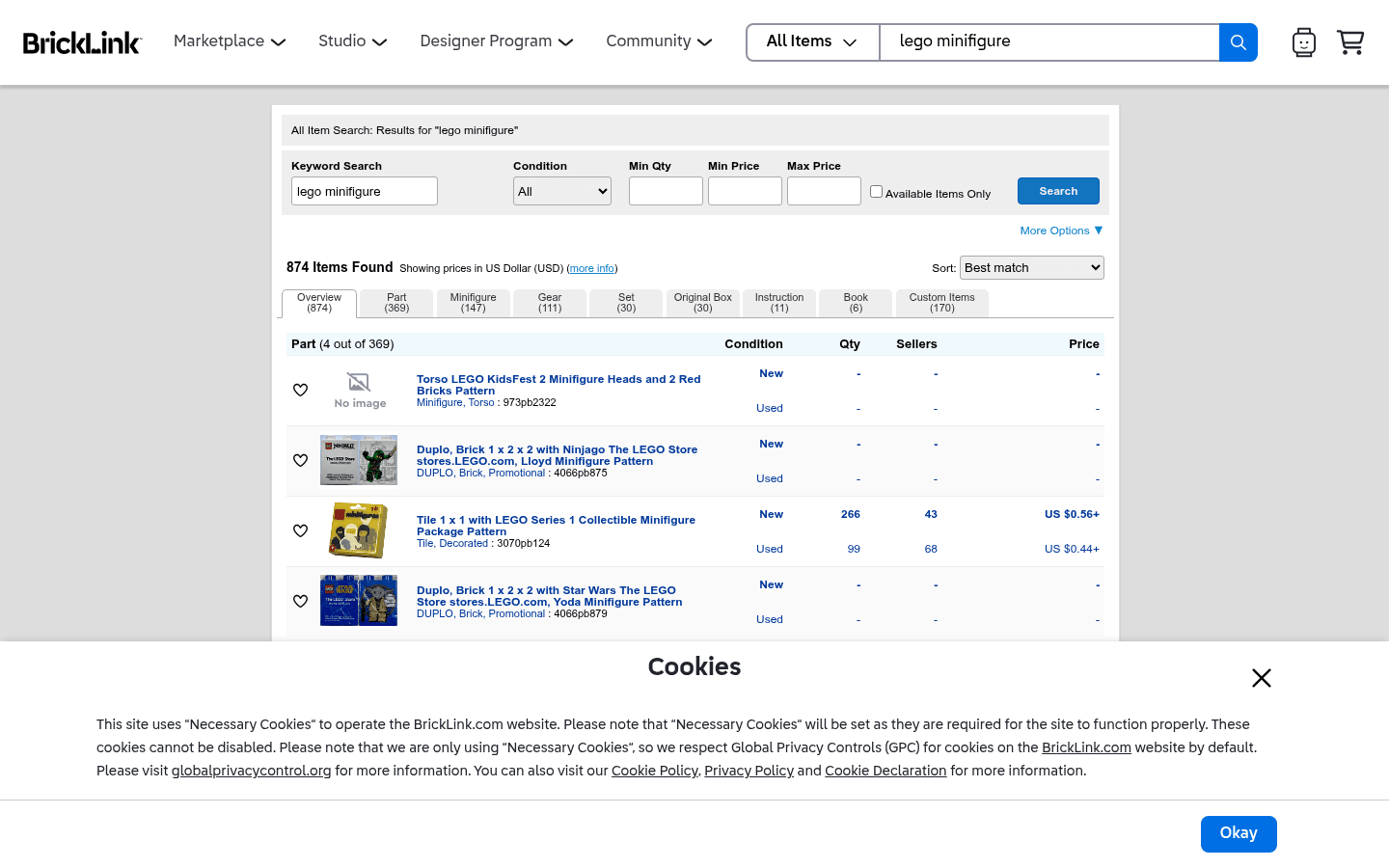
Before choosing where to sell, it helps to see the difference between a live-selling marketplace, a broad search marketplace, a LEGO-native catalog, and a social or local channel. These screenshots are visual references only. Platform interfaces, fees, and rules can change.
CTA(Identify%20and%20Price%20100%2B%20Figures%20With%20One%20Pic).png)

