


If you want more buyers to actually find your BrickLink store, the short answer is this: write specific, keyword rich item titles, pick the correct catalog category and condition for every lot, and keep your store terms and feedback clean, because BrickLink's internal search engine rewards listings that match exactly what a buyer types into the search box. I've spent a long time sourcing and listing LEGO minifigures and parts, and in my experience the stores that show up first are almost never the ones with the lowest prices. They're the ones that are easiest for BrickLink's search to understand and easiest for a buyer to scan in two seconds.
BrickLink SEO isn't like Google SEO. Most of your listings will never show up in a Google search. Buyers come in through BrickLink's own search bar, and that search bar cares about exact wording, category accuracy, and store reputation more than anything fancy. I learned this the slow way, by watching lots sit for months with zero views, then rewriting the titles and watching the same lots start selling within days.
- BrickLink's search matches the words buyers type, so vague titles like "Minifigure Lot" get buried.
- Correct catalog categories and condition notes matter as much as the title itself.
- Store terms, response time, and feedback score all influence whether buyers trust a click.
- Accurate minifigure identification prevents the wrong-item returns that quietly hurt your feedback score.
- A few structural fixes usually move the needle faster than dropping your prices.
What Does BrickLink Store SEO Actually Mean?
BrickLink store SEO means optimizing your item titles, descriptions, categories, and store setup so BrickLink's internal search engine, and buyers scanning results, actually find and click your listings instead of a competitor's. It isn't about Google rankings. It's about winning the search box inside BrickLink itself, where most buyers start and end their shopping.
In my experience, most sellers treat their BrickLink store like a static catalog and never go back to tune titles or categories after the initial upload. That's the single biggest growth lever most stores leave sitting on the table. BrickLink is the market standard for LEGO pricing data, the kind of thing a lot of sellers call the Wall Street of LEGO, and its search engine was built around buyers who already know exactly what part or figure they want. You're not persuading a browser, you're matching a query.
Why Do BrickLink Item Titles Matter So Much for Search Ranking?
Item titles matter because BrickLink's search matches buyer queries against the exact words in your title and description, so a vague title like "Minifigure Lot" simply won't surface when someone searches for a specific character or set number. I noticed real jumps in visibility just from rewriting titles to match how buyers actually type their searches.
When I sort through a new bulk lot, I write titles the way a buyer would search, not the way I'd describe it to a friend. That means leading with the character name or set number, then the theme, then condition. "Star Wars Luke Skywalker Minifigure, Good Condition" will out perform "Cool SW Figure" every time, because the first one matches the words sitting in a buyer's head when they open the search bar. Supporting terms like bricklink search ranking and optimize bricklink listings both point to the same root fix: say exactly what the item is, using the vocabulary buyers already use.
How Should You Write BrickLink Lot and Item Descriptions?
Write BrickLink descriptions the way you'd want a stranger to understand the item with zero back and forth: exact condition, completeness, any damage, and whether original parts have been swapped. A thin or copy pasted description does not just hurt conversion, it actively hurts your ranking over time because it drives returns and negative feedback.
From what I've seen, buyers searching for individual minifigures are often trying to complete a set or finish a build, so they care a lot about small details like whether a cape, helmet, or accessory is included. I recommend listing every accessory separately in the description even if it's included in the photo, because buyers scan text before they study pictures. If you're not sure exactly which figure or variant you're holding, run it through a proper identification workflow, like the brick'em minifigure database, before you publish the listing. A misidentified figure is one of the fastest ways to tank your store's feedback score.
Which BrickLink Categories and Item Numbers Actually Help Buyers Find You?
Categories and catalog item numbers help buyers find you because BrickLink's search and browse filters rely on correct catalog matching, not just your title text. A minifigure listed under the wrong catalog entry, or with a typo'd item number, simply will not appear when a buyer filters by theme or searches by exact part number.
This is the part most sellers rush. I personally double check the catalog match on anything that isn't an obvious, common figure, because BrickLink's catalog has thousands of near-identical variants separated by small print or color differences. Supporting searches like bricklink category optimization and bricklink buyer search both come back to the same discipline: match the real catalog entry, every time, even when it's slower.
How Does BrickLink's Internal Search Ranking Actually Work?
BrickLink's internal ranking leans heavily on relevance to the search term, item availability, and store-level signals like feedback score and response time, rather than any single "SEO trick." A store with clean, accurate listings and a solid feedback history tends to surface more consistently than a store with lower prices and messy data.
BrickLink launched back in 2000 and the LEGO Group acquired it in 2019, which is part of why its catalog and pricing data are treated as the reference point for the whole secondary market. I've found that stores with fast response times and clear terms of service tend to convert better once a buyer does click through, and that conversion rate seems to feed back into how often BrickLink keeps surfacing you. It's not a published ranking formula, but the pattern holds up across the stores I've watched.
Can You Become a BrickLink Featured Seller, and Does It Actually Help?
Yes, you can work toward featured seller status, and it generally helps because it signals trust and volume to buyers browsing categories, but it is a result of consistent store quality rather than a shortcut you can apply for overnight. Volume, feedback, and catalog accuracy all factor in over time.
I've seen bigger sellers take a different route entirely: buying out smaller BrickLink stores outright. Luka, brick'em's founder, has talked about larger sellers rolling up smaller stores by paying somewhere around 30 to 50 percent of market value for the entire inventory, which lets them build stores with millions of parts and figures listed without grinding out every individual listing themselves. That's a longer-term play, but it shows how much weight BrickLink puts on store size and consistency once you're trying to compete at the top of search results.
Should You Price at Market, Below Market, or Above Market to Win the Click?
On BrickLink specifically, pricing at or slightly below current market tends to win more clicks than pricing above market, because most buyers are comparison shopping across nearly identical listings. In my experience, BrickLink buyers are price sensitive in a way that Whatnot buyers often aren't, since BrickLink is built for side-by-side comparison rather than live-show energy.
I use BrickLink pricing data as my baseline, then compare it against what the same item is doing on eBay and Whatnot before I set a number. eBay can put a listing in front of millions of buyers, but once you add promoted listings to get real visibility there, your total take rate can creep close to 25 percent of the sale. BrickLink's fees tend to run a lot lower than that, which is exactly why a lot of sellers I know are fine moving low dollar items there even when the buyer covers shipping. If you want a gut check on what your current inventory is actually worth before you price it, the LEGO collection value calculator and the LEGO investment calculator are both useful starting points.
Heads up: This is not financial or legal advice. We're sharing what we've learned from the LEGO reselling community.
How Does Accurate Minifigure Identification Improve Your BrickLink Visibility?
Accurate identification improves visibility because every mislabeled figure is a listing that either never matches a buyer's search or matches it incorrectly and generates a return. I started paying much closer attention to this after realizing how many "generic" lots I had listed were actually sitting on specific, searchable variants that buyers wanted by name.
When I'm working through a bulk lot, I scan everything before I write a single title, because trying to identify figures from memory while also writing SEO friendly titles is where mistakes creep in. A seller I know runs their whole BrickLink prep this way: scan first, sort by value, then write titles and categories once everything is confirmed. If you're sitting on a pile of unsorted minifigures from a bulk buy, run them through the haul calculator first to see what's actually worth listing individually versus selling as a lot, then get your winners ready to go live through brick'em.
What Store Terms and Policies Actually Affect Buyer Search Behavior?
Clear store terms around shipping cost, combined shipping, and return policy affect search behavior because BrickLink buyers often filter or sort by seller location and shipping cost before they even open your listing. A confusing or missing terms page quietly pushes buyers toward a competing store with the same item.
I'm a big believer in keeping terms short and specific rather than copying a generic template. State your combined shipping policy in plain language, state your handling time honestly, and keep it updated. In my view, this is the most neglected part of most BrickLink stores, because it feels like boring back office work instead of "real" SEO, but it directly affects whether a buyer who found you through search actually finishes the checkout.
BrickLink Store SEO Checklist
Here's the checklist I actually run through on my own store before I consider a new batch of listings finished:
- Title leads with character name or set number, then theme, then condition
- Catalog category and item number verified against the actual item, not guessed
- Description lists every accessory, part, or missing piece explicitly
- Condition graded honestly, including paint wear or yellowing
- Store terms page states shipping cost, combined shipping, and handling time
- Pricing checked against current BrickLink, eBay, and Whatnot comps before listing
- Feedback and response time kept current, since both feed store-level trust signals
Frequently Asked Questions
How long does BrickLink SEO take to show results?
Most sellers I've talked to start noticing more views within a couple of weeks of rewriting titles and fixing categories, though full results depend on how large your store is. Rewriting a handful of listings won't move much. Working through your whole catalog methodically tends to show up in view counts within 30 to 60 days.
Does BrickLink feedback score really affect search ranking?
Feedback score and response time are treated as trust signals that influence how often a store surfaces in search and how comfortable buyers feel clicking through. A store with excellent titles but a thin or negative feedback history will still underperform a store with clean, average listings and strong feedback.
Should I price below market to rank higher on BrickLink?
Price doesn't directly change your search ranking on BrickLink, but it changes click through and conversion once buyers compare listings side by side. Many sellers I know price at or slightly below current market for common items and reserve above market pricing for genuinely rare or hard to find variants.
Do I need professional photos for BrickLink listings?
You don't need professional photography, but you do need clear, well lit photos that show condition honestly, including any wear, yellowing, or missing parts. Buyers searching BrickLink are often comparing several near identical listings at once, and a clear photo next to an accurate title is usually enough to win the click.
What's the fastest fix if my BrickLink store gets no traffic at all?
Start by auditing your top 20 items for title accuracy and catalog category, since a handful of miscategorized or vaguely titled listings can quietly suppress an entire store's visibility. From what I've seen, that single pass usually surfaces the biggest, easiest wins before you touch pricing or terms at all.
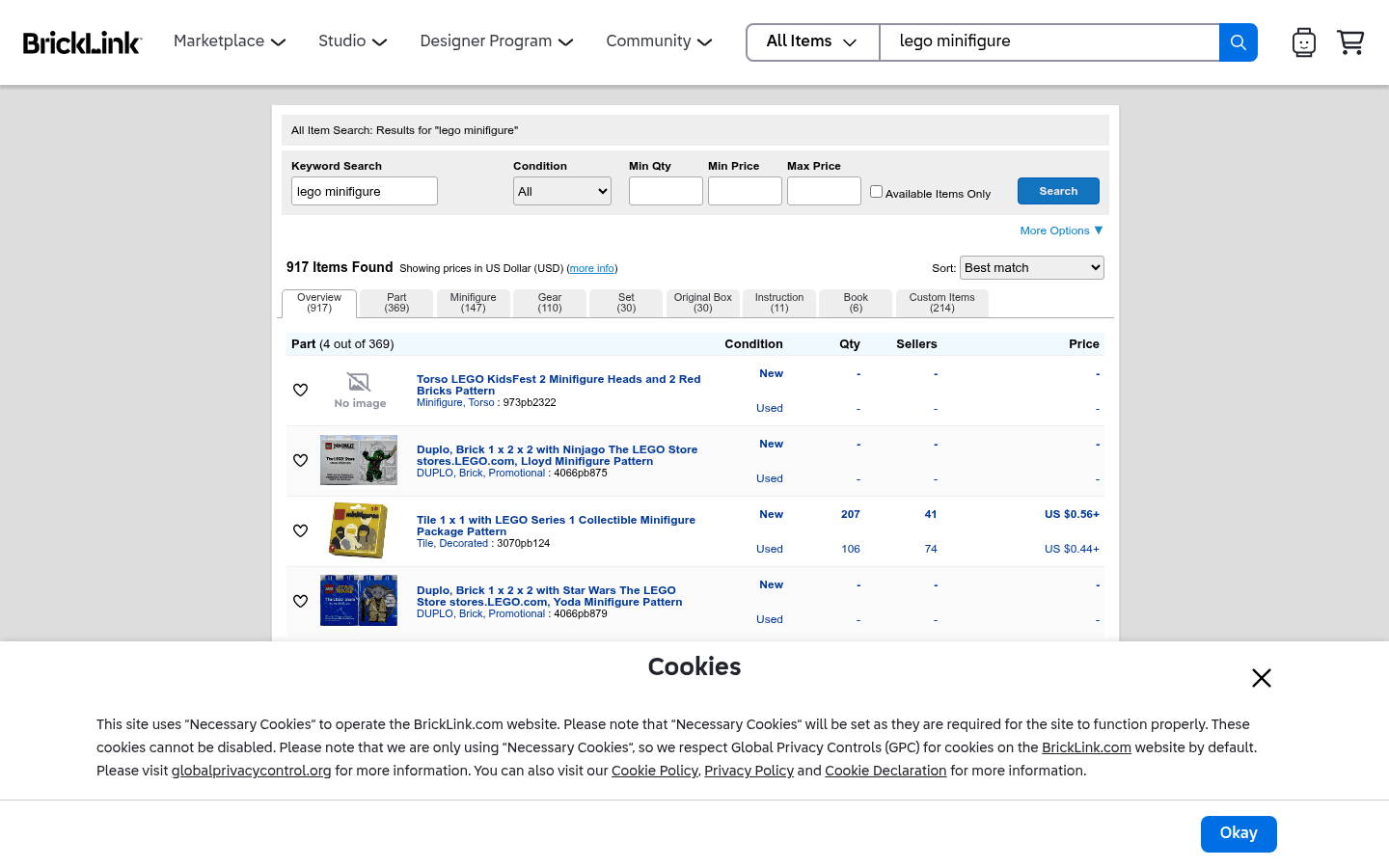
What Do These LEGO Selling Platforms Look Like?
Before choosing where to sell, it helps to see the difference between a live-selling marketplace, a broad search marketplace, a LEGO-native catalog, and a social or local channel. These screenshots are visual references only. Platform interfaces, fees, and rules can change.
CTA(Identify%20and%20Price%20100%2B%20Figures%20With%20One%20Pic).png)

