You just hauled home a 30-pound bin of loose LEGO from a garage sale. Minifigures are buried in there. Some could be worth $5. Some could be worth $500. But you have no idea which is which.
That's the problem every bulk buyer faces. And the longer those figures sit unidentified, the longer your money sits locked up in a plastic bin. Most resellers I know have lost real value simply because they didn't know what they were sitting on.
So what's actually the best way to figure out what you have? I've tried every method out there. Here's how they stack up.
What Is the Best Tool for Identifying LEGO?
The best tool for identifying LEGO minifigures is a scanning app that uses your phone camera to recognize figures instantly and pull live market prices. Manual methods like catalog searching and community forums work but take significantly more time per figure. For bulk lots, speed matters.
Here's the full breakdown, ranked by how fast and accurate each method is.
1. brick'em (Phone Camera Scanner)
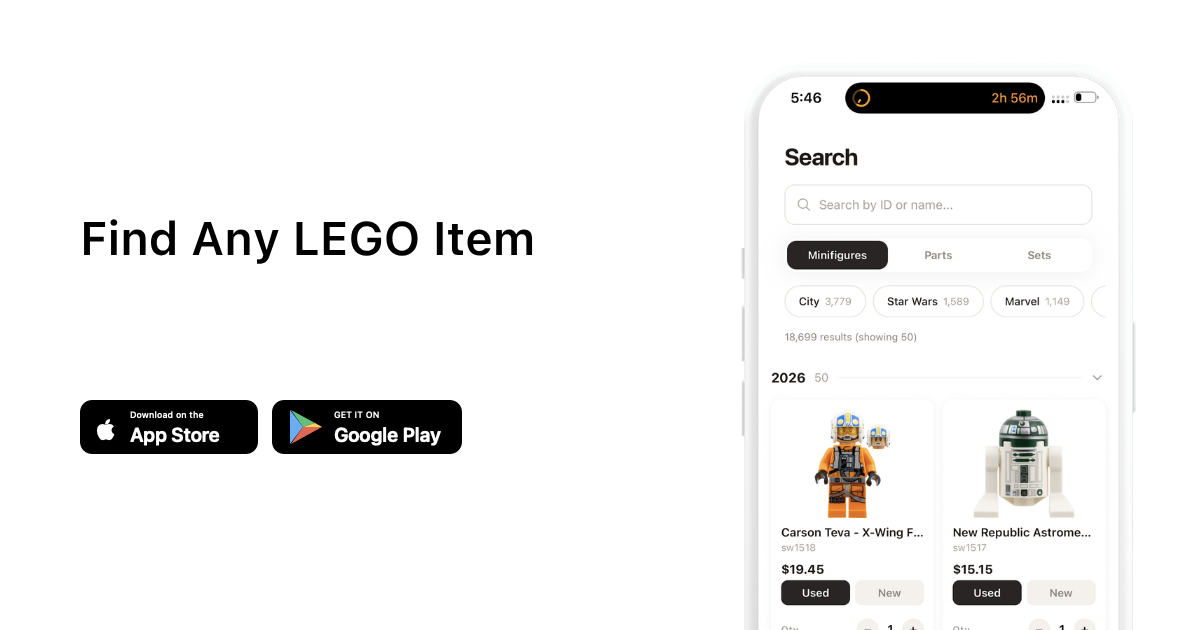
This is the fastest option and it's not close. You lay out your minifigures, take a photo, and brick'em identifies them using image recognition. It pulls live BrickLink prices automatically so you know the value of each figure the moment it's scanned.
What makes it different from manual methods:
- Bulk scanning. Snap a photo of 20+ figures at once. No typing, no searching.
- Instant identification. Image recognition matches against thousands of known minifigures.
- Live prices. Current BrickLink market data, not outdated estimates.
- Inventory tracking. One tap adds identified figures to your tracked collection with quantities and conditions.
For anyone processing bulk lots regularly, this is the tool that pays for itself immediately. You go from hours of manual lookups to minutes.
brick'em tip: Use bulk scan mode to photograph an entire tray of figures at once. brick'em detects individual figures in the photo and identifies each one separately. Try it free.
2. BrickLink Catalog Search (Manual)
BrickLink's catalog is the gold standard reference for LEGO identification. It covers over 90,000 parts, minifigures, and sets. You can search by keyword, part number, category, or theme.
The process: look at the figure, try to identify the theme (Star Wars, City, Harry Potter), then browse BrickLink's catalog for that theme until you find a visual match. Once you find it, you get the BrickLink ID and current market prices.
Pros:
- Most comprehensive LEGO database in existence
- Shows real market prices from actual sales
- Free to use
Cons:
- Slow. Each figure can take 2 to 10 minutes to identify manually.
- Requires you to already know roughly what you're looking at.
- Hard to use on mobile.
BrickLink catalog search is great for verifying a single figure. But if you have a bin of 200 minifigures, you're looking at days of work.
How Do You Identify LEGO Minifigures Without a Number?
When there's no part number visible, you have to go by visual details. Look at the torso print first because that's usually the most unique element. Hair pieces, helmets, and accessories narrow it down further. The color combination of legs, torso, and headgear is often enough to identify a theme.
For figures with common prints (like plain City torsos), you may need to check the exact head print and hair piece combination. According to discussions on r/lego, the torso print is the single most reliable identifier.
BrickLink lets you search by color and category, which helps when you're working backwards from visual details. But a scanning tool like brick'em skips this entire process because it matches the visual appearance directly.
3. Community Forums and Groups
Reddit's r/lego community has over 2 million members and there are dedicated identification threads. Facebook groups like "Identify My LEGO Minifigures, Parts and Pieces" are specifically built for this.
The process: post a clear photo of the figure and wait for someone to identify it. Experienced collectors can usually name a figure in minutes.
Pros:
- Human experts catch details that databases miss
- Good for unusual variants and rare prints
- Free
Cons:
- Not instant. You're waiting for someone to respond.
- Doesn't scale. You can't post 200 figures one by one.
- Quality of answers varies.
Community forums are best for that one weird figure you can't identify any other way. They're not a workflow for processing bulk lots.
4. Visual Reference Guides and Books
Books like the LEGO Minifigure Year by Year visual history and DK's LEGO Star Wars Character Encyclopedia cover thousands of figures with photos and details. They're organized by theme and year, making browsing straightforward.
Pros:
- Great for learning themes and variants
- No internet needed
- Fun to flip through
Cons:
- Out of date the moment they're printed. No 2025 or 2026 figures.
- No live pricing information.
- Slow for bulk identification.
Reference books are better for building your knowledge over time than for identifying a specific bin of figures quickly.
5. LEGO Part Numbers (Printed on Pieces)
Many LEGO pieces have a tiny mold number embossed on the inside. If you can find it, you can type it into BrickLink and get an exact match. Torso pieces, legs, and headgear usually have these numbers.
Pros:
- 100% accurate when the number is readable
- Works for parts and accessories too
Cons:
- Numbers are tiny and hard to read, especially on darker pieces.
- Assembled minifigures make it hard to access inner mold marks.
- Not all pieces have readable numbers.
Which Method Is Best for Bulk Lots?
If you're processing more than a handful of figures, the ranking is clear. Phone camera scanning is the only method that scales. Every other approach works fine for one or two figures but falls apart when you're dealing with dozens or hundreds.
| Method | Speed per Figure | Live Prices | Scales to Bulk |
|---|---|---|---|
| brick'em | Seconds | Yes | Yes (20+ at once) |
| BrickLink Catalog | 2 to 10 min | Yes (manual) | No |
| Community Forums | Minutes to hours | No | No |
| Reference Books | 5+ min | No | No |
| Part Numbers | 1 to 5 min | No | No |
Frequently Asked Questions
Is there an app that identifies LEGO pieces?
Yes. brick'em uses your phone camera to identify LEGO minifigures instantly. Point your camera at a figure or a group of figures, and it recognizes them using image recognition. It also pulls live BrickLink market prices so you know the value immediately.
How do I find out what LEGO minifigure I have?
The fastest way is to scan it with a phone camera app. You can also search BrickLink's catalog by theme and browse visually, post a photo to Reddit's r/lego community, or check the tiny mold number printed inside the torso or legs and look it up on BrickLink.
Can you identify LEGO by the numbers on the pieces?
Yes. Most LEGO pieces have a small mold number embossed inside. You can type this number into BrickLink's search to find the exact piece. However, these numbers are often tiny and hard to read, especially on assembled minifigures or dark-colored pieces.
What is the best way to sort a bulk LEGO lot?
Start by separating minifigures from loose bricks. Minifigures typically hold the most value per piece. Then use a scanning tool to identify and price the figures quickly. Many sellers on r/legomarket sort by theme first, then identify individual figures within each group.
The right identification tool depends on what you're doing. For a single mystery figure, BrickLink catalog search or a community forum works fine. For anything more than a handful, you need something faster.
Related reading
- 10 Best Places to Sell LEGO in 2026
- Are LEGO City Minifigures Worth Anything?
- Are LEGO City Minifigures Worth Anything?
Ready to move faster? brick'em scans your minifigures, pulls live BrickLink prices, and tracks your inventory. Start free today. Create your account.