

You downloaded a LEGO scanning app expecting it to tell you what your minifigures are worth. Instead you got building suggestions for a rubber duck. Sound familiar?
Brickit and brick'em both scan LEGO with your phone camera. But they solve completely different problems. One is built for builders who want creative inspiration from loose bricks. The other is built for resellers and collectors who need prices, identification, and inventory tracking. They're not competitors. They're built for different people with different goals.
Here's how they differ, what each one does well, and which situations each one is made for.
What Does Brickit Do?
Brickit went viral in 2021 when people started dumping bins of LEGO on their floor and scanning the pile. The concept is simple and genuinely clever. You point your camera at a messy pile of loose bricks, and within seconds the app identifies individual pieces and suggests things you can build with what you have. It even highlights where each piece is in your pile so you can find it.
The app comes with hundreds of build suggestions, complete with step-by-step instructions. You can modify colors, swap pieces, and customize builds beyond what the instructions show. There's also a community feature where users submit their own build ideas for others to recreate.
Brickit also has a companion tool called Pileometer that catalogs your brick collection by piece. Think of it as a parts inventory. You can track what bricks you own, which is useful if you want to know whether you have the right pieces for a specific build.
The app is free to download with a subscription for premium features. It currently has a 4.6 star rating with over 21,000 reviews on the App Store. It also has a classroom version (Brickit for Classes) designed for schools and camps with social features disabled.
If you're a builder who wants to get more creative use out of your loose bricks, Brickit is genuinely fun. No argument there.
What Does brick'em Do?
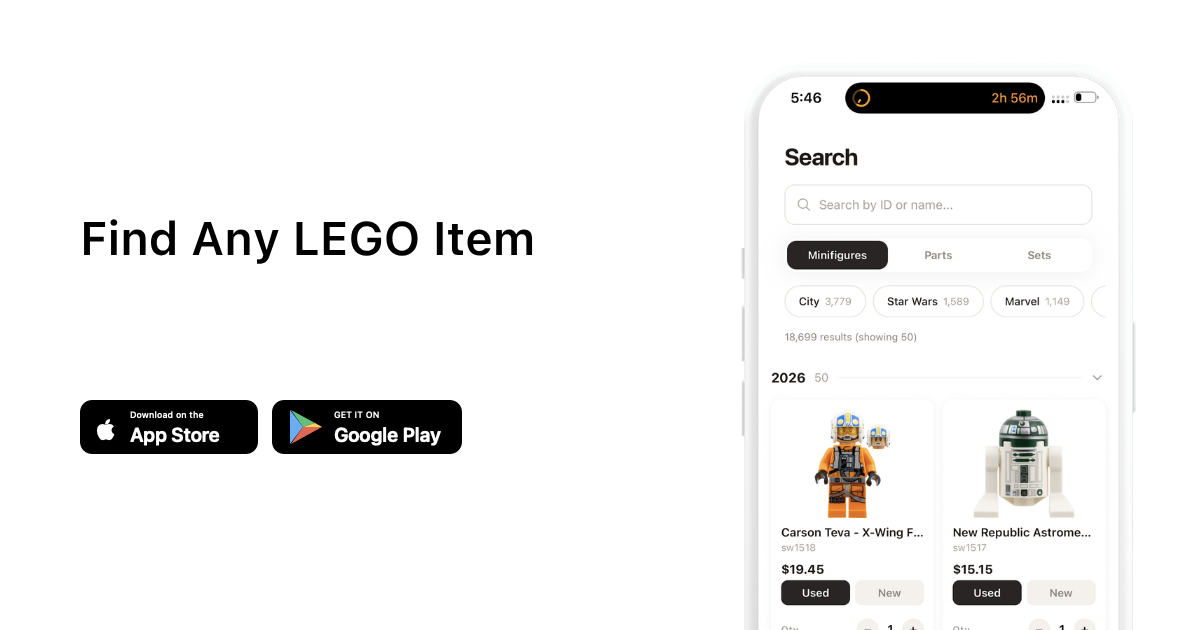
brick'em was built specifically for LEGO resellers and collectors. The focus is minifigures, not loose bricks. Point your camera at a figure and the app identifies it from a database of 18,900+ minifigures, then pulls the current BrickLink market price automatically. You get the BrickLink item ID, the average sold price for both new and used condition, and the option to add it straight to your inventory.
You can scan figures one at a time with single scan mode or use bulk scanning to identify multiple figures in a single photo. Bulk scan uses object detection to draw boxes around each figure, then identifies them all at once. That's the feature resellers care about most. Instead of looking up figures one by one on BrickLink, you lay out 10 or 20 figures, take one photo, and get prices for all of them in seconds.
The inventory system tracks quantities, conditions (new or used), custom prices, and calculates your total collection value in real time. You can create multiple inventory collections and export them to CSV for listing on selling platforms like Whatnot, eBay, or BrickLink.
brick'em also includes a Chrome extension that overlays BrickLink prices while you browse the web, a collection value calculator, a lot calculator for bulk buys, and a database of minifigure prices you can search without even scanning.
The app is free to start with paid tiers for bulk scanning and advanced features. It launched in 2026 and is available on iOS, Android, and the web.
Brickit vs brick'em: Feature Comparison
| Feature | Brickit | brick'em |
|---|---|---|
| What it scans | Loose bricks and pieces | Minifigures (single + bulk) |
| Main purpose | Building suggestions | Pricing and inventory |
| Price lookup | No | Yes, live BrickLink prices |
| Inventory tracking | Pileometer (parts only) | Full minifig inventory with values |
| Bulk scanning | Scans piles of bricks | Scans multiple minifigs per photo |
| Export to selling platforms | No | Yes (Whatnot, eBay, BrickLink CSV) |
| Collection value tracking | No | Yes, portfolio-style dashboard |
| Chrome extension | No | Yes, BrickLink price overlay |
| Database size | Thousands of LEGO pieces | 18,900+ minifigures with prices |
| App Store rating | 4.6 stars (21,000+ reviews) | New (launched 2026) |
| Platforms | iOS, Android, Web | iOS, Android, Web |
| Price | Free + subscription | Free + paid tiers |
What Brickit Is Built For
Brickit makes the most sense if you're a builder. You have bins of loose bricks sitting in your closet and you want creative ideas for what to build next. The app is designed for people who want to get more out of the LEGO they already own.
It's also solid if you want to catalog your loose parts collection through Pileometer. Teachers and camp counselors might find Brickit for Classes useful for organized LEGO activities. If your main question is "what can I build with these bricks?" then Brickit answers it well.
Where it falls short is on the money side. Brickit doesn't tell you what anything is worth. It doesn't pull market data from BrickLink. It doesn't track values over time. It doesn't export to selling platforms. If you bought a 20-pound bulk lot and need to figure out whether that Clone Trooper variant is worth $5 or $50, Brickit can't help you.
What brick'em Is Built For
If you sell LEGO, collect minifigures, or buy bulk lots, brick'em is built for your exact workflow. The scanner identifies minifigures specifically, not generic bricks. It tells you the BrickLink ID and current market price on the spot so you know exactly what you're holding.
The bulk scanning feature is where it really pulls ahead for resellers. A 20-pound lot might have 30 or 40 minifigures buried in it. Sorting through them one by one, searching each on BrickLink, writing down prices. That used to take two or three hours. With bulk scan, you lay them out, take a photo, and have prices in under a minute.
brick'em tip: Use bulk scan mode on your next haul. Lay your minifigures out, snap one photo, and get BrickLink prices for every figure in seconds. Sort by value to find the heavy hitters first. Try it free.
The inventory system is the other big differentiator. You can track every figure you own with condition, quantity, and custom pricing. Your total collection value updates in real time as BrickLink prices move. When you're ready to list, export everything to CSV and upload directly to your selling platform. It's the full pipeline from scanning to selling.
There's also a collection value calculator, a lot pricing tool for evaluating bulk buys before you commit, and a minifigure rarity score system that rates figures from 1 to 100 based on market availability and demand.
Where They Overlap (and Where They Don't)
Both apps use your phone camera to scan LEGO. That's about where the similarity ends. Brickit scans loose bricks and gives you building ideas. brick'em scans assembled minifigures and gives you market prices.
There's almost no overlap in what they do. A lot of LEGO people own both because they cover completely different parts of the hobby. Brickit is for the creative side. brick'em is for the business side.
How Does Scanning Accuracy Compare?
Both apps use image recognition, but they're solving fundamentally different identification problems.
Brickit identifies standard LEGO bricks and pieces from a top-down pile view. It needs pieces spread thin on a flat surface with good lighting. The most common complaint in App Store reviews is that you need a lot of floor space to spread pieces out thin enough for accurate detection. Overlapping or stacked pieces reduce accuracy significantly.
brick'em identifies specific minifigure characters. This is a harder recognition problem in some ways because it requires matching printed torsos, specific head prints, leg prints, and accessories to a specific character variant out of 18,900+ possibilities. The difference between a Phase 1 and Phase 2 Clone Trooper is subtle, but the price difference can be significant.
No scanning app is perfect 100% of the time. When brick'em is unsure about a match, it shows you alternatives ranked by confidence so you can pick the right one yourself. Good lighting and a clean background improve accuracy for both apps.
What About Pricing and Plans?
Brickit is free to download. A subscription unlocks premium builds, full Pileometer access, and additional features. Exact pricing varies by region and plan.
brick'em has one plan. Pro is $20 per month or $200 per year, and every checkout starts with a 14-day free trial. Pro covers single and bulk scanning, unlimited inventory collections, and advanced export features.
Both apps let you try before you commit. Brickit is a free download, and brick'em gives you a 14-day free trial. If you're not sure which you need, download both and test them with what you actually do. That's the fastest way to find out.
Two Different Tools for Two Different Jobs
Brickit and brick'em aren't really competing with each other. Brickit is a creative tool that turns loose bricks into building ideas. brick'em is a business tool that turns minifigures into priced inventory. One answers "what can I build?" The other answers "what is this worth?"
If you build, Brickit is useful. If you sell or collect, brick'em is useful. If you do both, you probably want both.
Frequently Asked Questions
Is Brickit free to use?
Brickit is free to download with limited features. A subscription unlocks premium builds and full access to the Pileometer parts catalog. The classroom version uses a one-time purchase model designed for schools and camps.
Does brick'em work with LEGO sets or just minifigures?
brick'em focuses on minifigures for scanning and pricing. The database includes set information and which figures appear in which sets, so you can look up set values and contents too. The scanner itself is optimized for identifying minifigure characters.
Which app is better for selling LEGO?
brick'em is built specifically for sellers. It provides BrickLink market prices, inventory tracking with conditions and quantities, and CSV export for listing on Whatnot, eBay, or BrickLink. Brickit does not include any pricing or selling features.
Can Brickit identify minifigures?
Brickit identifies individual LEGO bricks and pieces, not assembled minifigure characters. It may recognize a minifig torso or head as a piece, but it won't tell you it's a specific Star Wars or Marvel character or what that character is worth on the secondary market.
Do I need both apps?
If you build AND sell, both are useful and complement each other. Brickit handles creative building from loose bricks. brick'em handles the business side with identification, pricing, and inventory management. They don't overlap much.